In the previous part, tachographs were spitting out garbage with success codes, losing bytes, and guessing the card protocol. But the tachograph isn't alone in this chain.
Tachographs lie – we covered that. Turns out trackers aren't any better. They'll send you a "file ready" signal halfway through the upload, invert your config bits for fun, or get stuck in a canceled state and refuse to tell you why. Add readers that look fine until the actual exchange starts, and you get a system where every component has quietly mastered the art of breaking things while looking functional. Here's the rest of the story.
- Case 1. "File ready". I'll send the rest later
- Case 2. Config exists. Following it is optional
- Case 3. Incomplete packet – complete problem
- Case 4. Turned on means turned off
- Case 5. Canceled and stuck
- Case 6. Now try investigating this
- Case 7. Say "yes" and throw it away
- Case 8. Don't call us, we'll call you
- Case 9. A hundred bytes of nobody knows what
- Case 10. 90 days by law. 80 by firmware
- Case 11. Authorized. No data
- Case 12. 10-euro reader vs weeks of debugging
- Beyond the scope. The server
It would be unfair to pin everything on tachograph manufacturers. Between the tachograph and the server, there's also a tracker, with its own firmware and its own understanding of when the job is done.
Case 1. "File ready". I'll send the rest later
What happened: The tracker didn't finish uploading the data but already sent the server a "file ready" signal.
The details: the server closed the file. Some time later, the tracker sent the remainder – as a separate buffer – after the upload had already completed.
It would seem like checking the byte count before closing would solve the problem. Except the tracker protocol doesn't report the full file size upfront. The server has no number to compare the received data against. It sees a stream of bytes, and then a message from the device that the stream is finished. And the device, as it turned out, can rush things.
The verdict: in this case, the structure check for DDD after upload helped again – the same one that caught the garbage with a success code in the previous part. Different causes: there the tachograph handed over a bad file, here the tracker reported completion too early.
The lesson: "file ready" from the tracker is worth exactly as much as a success code from the tachograph. For the client, the result is identical – an incomplete file with a success message.
Case 2. Config exists. Following it is optional
Another tracker had a different way to surprise.
What happened: the user removed tachograph memory download from the auto-download settings, but the tracker kept requesting it.
The details: the setting is saved, the config is applied, but the behavior remains the same.
The verdict: figured it out – a confirmed firmware bug.
The lesson: you can reread settings as much as you like, but that won't fix the problem anymore.
Case 3. Incomplete packet – complete problem
What happened: the tracker sends incomplete data, and from the outside it looks like the platform is to blame.
The details: the tracker sent malformed packets: the device doesn't send all the data, and the parser rejects the incomplete frame. From the outside, it looks like "flespi isn't accepting data from the tracker".
The verdict: and indeed it isn't – but there's nowhere to get the missing bytes from. There's no workaround here – a firmware fix is needed.
The lesson: "the platform isn't accepting data" is a symptom, not a diagnosis. Before looking for problems on the server, check what exactly it rejected.
Case 4. Turned on means turned off
What happened: selected segments for download aren't downloading.
The details: the tracker inverted the bit mask for segment selection: the bits worked exactly backwards.
The verdict: what you turned on ended up turned off, and vice versa. The cause is in the firmware – it can't be fixed on the server.
The lesson: the tracker accepted the config doesn't mean it understood it the same way you did. You need to check the result, not the acknowledgment.
Case 5. Canceled and stuck
What happened: after an interrupted download, the tracker stopped downloading entirely.
The details: the tracker reading module could get stuck in a canceled state and return error code 253 on further attempts. Simply retrying the download isn't enough: the module hasn't exited the previous cancellation yet.
The verdict: to get it back to work, a special command was required.
The lesson: retrying doesn't fix everything. Sometimes the device needs to be pulled out of its previous state first, and it won't tell you about it on its own.
Case 6. Now try investigating this
What happened: the error reproduces reliably, but the tracker doesn't report its own firmware and hardware versions, and doesn't report them for the tachograph either.
The details: the tracker model itself is known – in flespi, a device is always set up for a specific model. But the model alone isn't enough. To analyze such cases, you need at minimum the tracker's firmware and hardware versions, its config, and the same versions for the tachograph. A bug can live on one combination of versions and not appear on another. Without this information, you can't even properly compare two cases.
And here's my favorite situation. The tracker is online, responds to download commands, and the error reproduces reliably. But when asked for its own firmware and hardware versions, and for those of the connected tachograph, it stays silent.
The verdict: the problem is in front of you, the dump is in front of you, but figuring out exactly which firmware and hardware versions you're working with is impossible. Then the correspondence with the client and manufacturer starts, searching for configs and logs. Trying to fix a car with a welded-shut hood – that's about how it feels.
The lesson: the firmware and hardware versions and the config are worth collecting before starting the analysis, not in the middle of it. Otherwise, investigation turns into correspondence.
Case 7. Say "yes" and throw it away
Lying to the tachograph didn't work in the previous part, but with trackers it works much better.
What happened: the tracker stopped delivering tachograph files. It's online, it's connected, and its upload queue isn't moving.
The details: through the same channel it uses for tachograph files, the tracker tried to upload a file that has nothing to do with the tachograph – a CAN dump. The server honestly refused. The tracker honestly tried again. And again. And again. No retry limit, no "skip and move on". Everything queued behind that file just waited.
The verdict: the server now has extra logic for cases like this, where sometimes you have to give in: accept the file, not count it, and move on.
The lesson: the right answer to a wrong request isn't always a refusal. Same as in life: sometimes it's wiser to nod, agree, and carry on your own way than to argue with someone who won't listen anyway.
Case 8. Don't call us, we'll call you
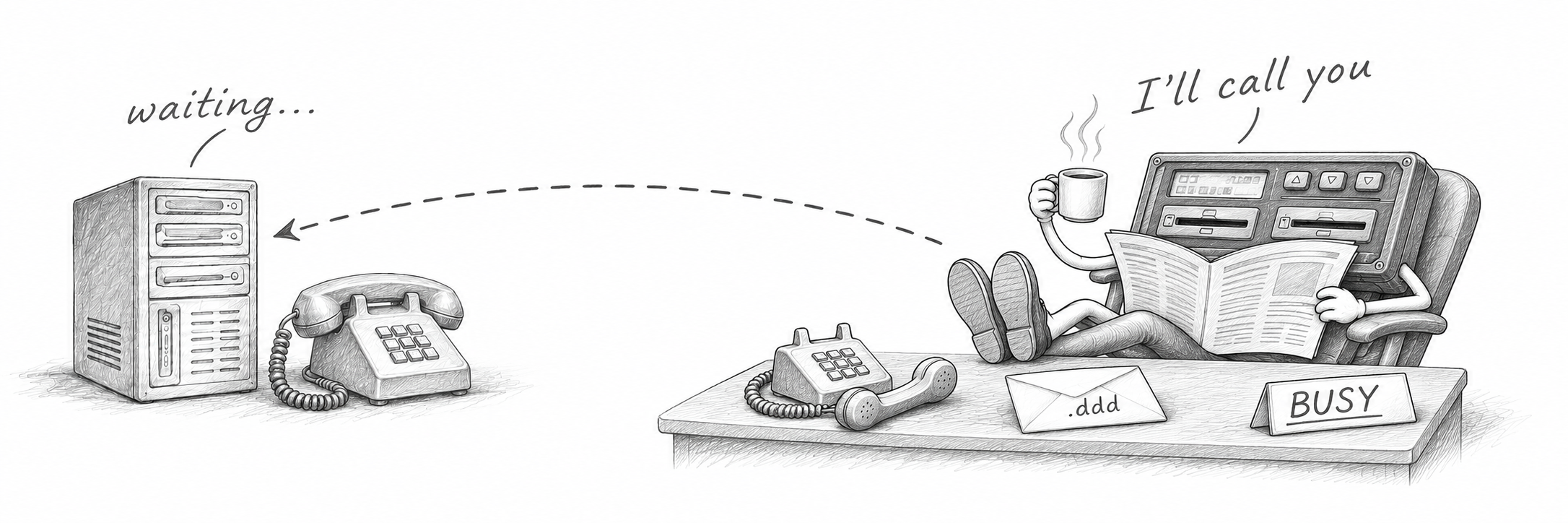 What happened: the client needs the file now. The tracker will send it when it decides to.
The details: this tracker's protocol has no "give me the file" command at all. The download can't be requested, repeated, or sped up from the server – the device starts the upload on its own. The server finds out when the first bytes of the file arrive: no command was sent, no session exists. So the session has to be put together after the fact, around a download that's already running.
The verdict: there's nothing to fix here – it was designed this way. All the server can do is be ready at any moment for a file nobody asked for.
The lesson: "send the command – get the file" is a feature of a specific tracker, not of remote download as such. Worth finding out before the trackers are installed, not after.
Case 9. A hundred bytes of nobody knows what
Same tracker. The file did arrive – with a bonus.
What happened: the file is received in full, and the structure check says it's not a DDD.
The details: the first packet of the file starts with 100 bytes that don't belong to it. Not a DDD header, not a signature, nothing from the regulation. We asked the manufacturer what these bytes are. The manufacturer couldn't explain it either.
The verdict: the same kind of extra logic as in Case 7. The tachograph file itself goes through whole and untouched – the server just starts reading a hundred bytes later. What's inside those bytes, we still don't know.
The lesson: not every fix comes with an understanding. Sometimes there's just a line in the code that says "skip 100 bytes", and the only documentation for it is this paragraph :)
Case 10. 90 days by law. 80 by firmware
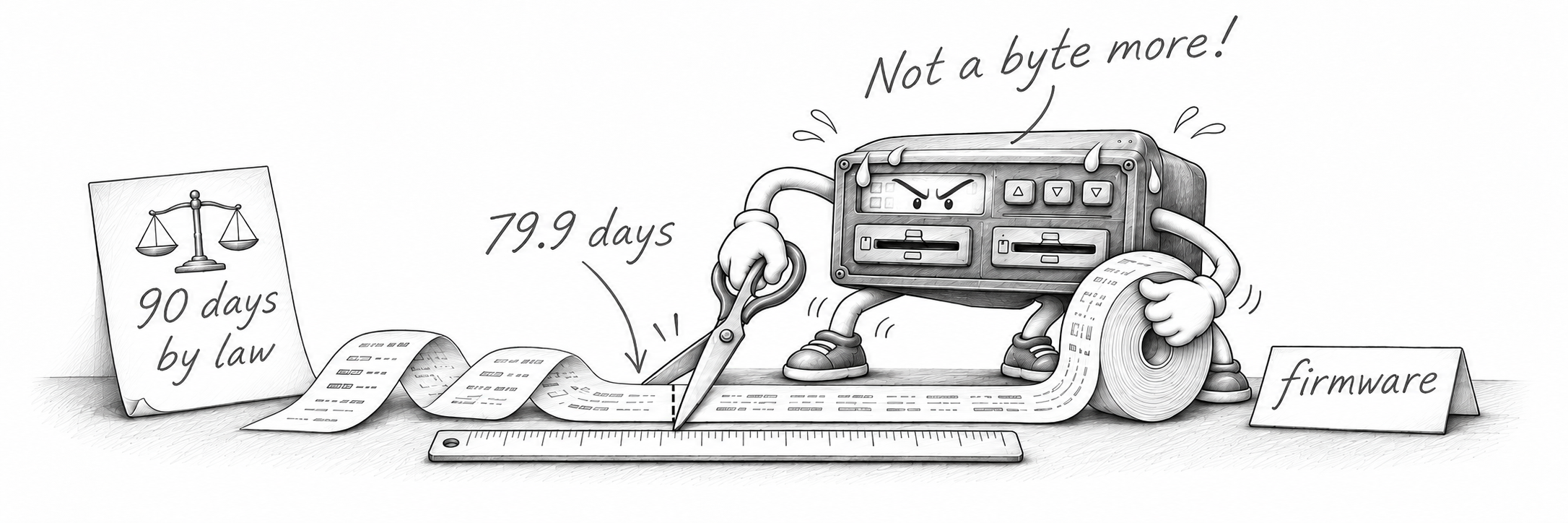
What happened: the tracker gets access to driver activity data, starts reading – and fails with a tachograph error.
The details: authorization passed, access is granted, the download is running. The error shows up only when the reading reaches data older than about 80 days. 79.9, to be precise. Everything more recent reads fine. Meanwhile, a tachograph can usually hand over up to 180 days of its memory. And the regulation, let me remind you, gives 90 days between downloads. Ninety. Nine-zero. The firmware had its own opinion on that.
How much time do you think it took to figure out the tracker's logic and pin down the exact time frame it's actually willing to hand over? I'd rather not even remember.
The verdict: this is about one specific tracker and one specific command. The cause is in its firmware – it can't be fixed on the server. All we could do was change the default: for this tracker, the memory download command requests the last 70 days of activities unless you set the period yourself. The actual limit is a bit higher, but 70 is what downloads for sure. Ask for more by hand, and you'll get the same error. And so that nobody has to find this out the hard way, the command now warns about it.
The lesson: "access granted" isn't "data received". And a strange default value in the settings usually isn't someone's taste – it's a scar from a specific bug.
Case 11. Authorized. No data
What happened: authorization goes through without errors. The file never arrives.
The details: the company card in the reader has expired. You'd expect the story to end right at authorization, with a clear error. Instead, the tracker reports no error at all – and then silently returns no data. From the outside: authorized, download started, nothing.
The verdict: for this tracker, we no longer trust the handshake. The decision on whether authorization succeeded is postponed until the actual result of the reply arrives.
The lesson: a successful authorization is also just a status. And the card's expiry date is worth checking first – before the firmware, the server, and the tracker.
Case 12. 10-euro reader vs weeks of debugging

We've already looked into tachograph firmware, analyzed tracker behavior, and taught the server to add missing bytes. Now it's time to return to the office, to the USB reader with the company card in it. That very one that usually nobody even notices.
What happened: the reader is detected, the card is detected, the application reports everything is in place, but the exchange with the card goes with errors. We searched the whole chain and found it last.
The details: readers from different manufacturers can work differently even on the same Windows version. The system sees them, but that still says nothing about how the actual exchange with the card will go. And here there are two search scenarios completely different in complexity.
First – the reader doesn't work at all. Not detected, the driver didn't catch it, it's not in Device Manager. I even like such cases: the problem is visible immediately, there's something to check, you can reinstall the driver or try a different reader. It didn't get to cryptography – no need to search for its bugs.
Second – the reader works, but incorrectly. It's detected, the card is detected too, and the application reports everything is in place. But then problems with the exchange begin: transmission errors, broken timings, incorrect APDU responses. From the outside, everything looks working enough to go looking for the cause somewhere else.
And the search goes roughly along this route:
1. Server     – check logs and settings
2. Software   – compare version, look for known bugs
3. Tachograph – compare firmware and behavior on other vehicles
4. Tracker    – check config, connection, CAN
5. ...reader  – how about trying a different one?
The first four items take days, sometimes weeks. Not because everyone forgot about readers. It's just that the card is visible, some commands go through, and then exactly that set of errors begins for which we already have a whole collection of stories about tachographs and trackers. There are enough suspects without the little box on the office desk.
The verdict: then someone finally suggests trying a different reader. We swap it – it works. The entire path from the truck to the card remains the same, and the problem disappears after replacing a device worth 10–30 euros.
The lesson: compare the cost of a reader and dozens of person-hours spent hunting for the problem. The cheapest link in the chain won't necessarily be the first suspect. Especially if it's good enough at pretending to work.
Beyond the scope. The server
Fixing other people's bugs as a standard feature. So, after all this, let's return to the server. In the first part, I described it as an intermediary: unpack APDU from the tracker protocol, deliver it to the card, get the response, and send it back. If you implement only that, some of the devices shown above won't work.
So let me lift the curtain a little on the mystery of a successful authorization: there's not only the processing of APDU commands, but also preprocessing and postprocessing. If preprocessing recognizes a known defect, it fixes the command before sending it to the card. For example:
One tracker delivers a command
0C B0in a form the card won't accept – the server brings it back to normal.Another tracker sends a command
00 88incomplete – the server completes it.A second-generation tachograph, command
0C D6– the fix you already know from the previous part.
There's no universal "if error – add zero" here. Each such fix appeared after analyzing a specific exchange and triggers under known conditions. Otherwise, trying to help one firmware, you could break the conversation for another.
The server doesn't know the session keys – they remain with the tachograph and card. We can't invent new secure content for them and calculate a MAC for it. The cryptographic work is still done by the devices themselves.
All of this is dozens of lines of concentrated code, refined by years of experience. Next to it lies the commented-out postprocessing – our attempt to rewrite 6688 to 9000. The very one that didn't help. We left it so the next person who gets this idea sees that we already checked it.
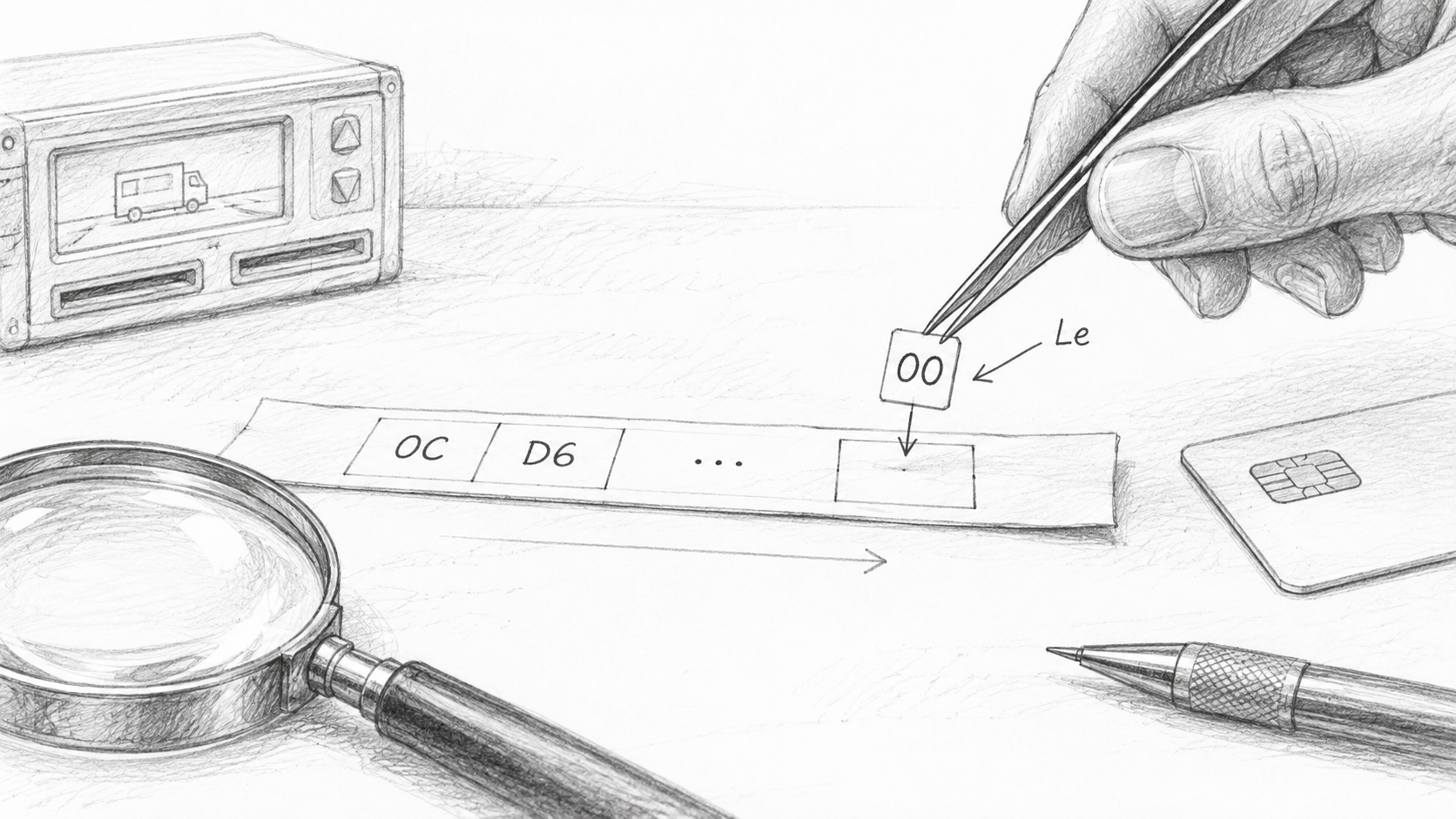
What still surprises me in this story is the distribution of work. The command was formed by the tachograph, transmitted by the tracker, and will be executed by the card. But the missing bytes are added by the server, which by the original design, was supposed to simply deliver all this. Because the truck is already driving, the file is needed now, and the client can't wait for fixed firmware from several manufacturers at once.
From the outside, such conditions in the code are easy to mistake for unnecessary crutches. Remove them – the function becomes shorter and prettier. Until the next session with that very firmware version :)
The bottom line
Think there are only twelve cases? Not even close. These are just the first of hundreds that could be described as clear examples that not everything runs so smoothly. And once again, each one had someone reporting success that never happened. The tracker – with a "file ready" signal, the reader – with a green LED. None of them thought they were broken: each one did its job honestly in its own part of the chain and had no idea what was going on next door. The one stuck in the middle got to do the fixing. That's where the habit of checking what's behind a device's message comes from: "file ready" – let's see what's inside, "card error" – let's see what was sent to it, "reader working" – let's see how exactly. You want to trust the status, but twelve years of experience have given me enough reasons not to trust anyone. So we simply accepted these rules of the game and help all of it work well. As the saying goes, if you can't beat them – lead them.
There are so many nuances that aren't documented anywhere that it all comes down to experience, knowledge, and the ability to quickly apply what you've learned. Which is why AI and programming skills alone aren't enough here. Still not enough here... Experience and the human brain are still worth far more.
What's next
So far we've been looking at cases where someone was actually doing something wrong: not handling the response, losing bytes, closing the file too early. But there's a whole class of problems where the hardware is completely fine, the firmware behaves as designed, the card is sitting in the reader, and nothing works.
A card, for example, can be "green" and unavailable at the same time. And behind one of the most common "platform errors" on a popular tracker stands one digit in its config. I'll tell you about what users run into when there's no firmware bug left to hunt for in the next part.