The email connector gives your flespi AI agent an email account of its own. The agent runs correspondence on your behalf — for example, contacts a device manufacturer's support and guides the communication through to resolution — and, with a full account, watches the inbox and wakes on incoming mail.
New to flespi AI agents? Read the flespi AI agents article first: what agents are, how they reason and sleep, and how approvals keep you in control. This article covers the email side of the story.
1. Connect the account
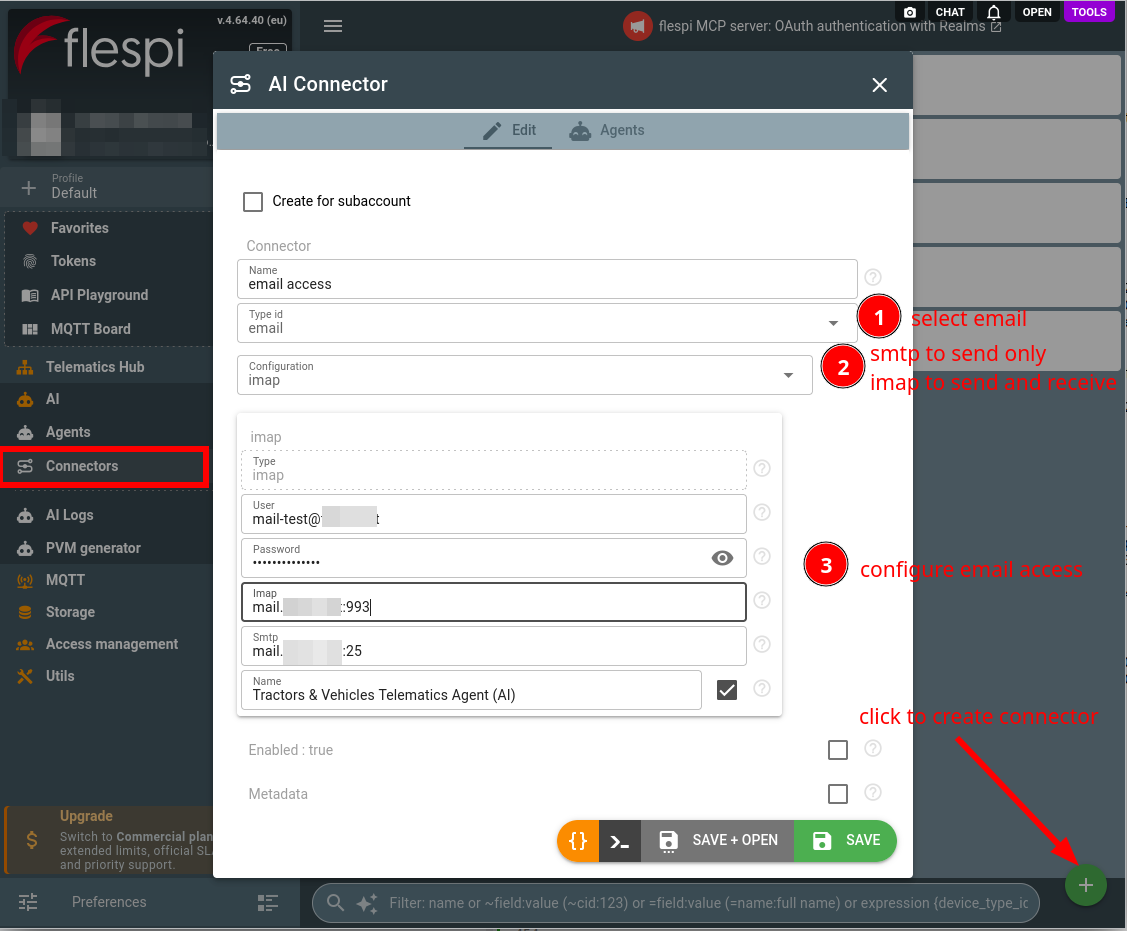
Connect the account in one of two variants:
- imap — a full IMAP/SMTP account: the agent sends, reads the mailbox, and reacts to incoming mail;
- smtp — a send-only SMTP account: mail leaves this address, nothing is received or read.
Configuration fields:
- email address — the From address of sent mail and, unless a login is set, the login username;
- login — optional, the username when the provider's login is not the address: an Amazon SES SMTP username, SendGrid's
apikey, a Postmark server token; - password — an app password for providers with two-factor auth (e.g. Gmail), or the SMTP password or API key paired with the login;
- IMAP and SMTP servers — as host or host:port (e.g.
imap.gmail.com,smtp.gmail.com); the IMAP server only in the imap variant; - display name — optional, shown next to the From address.
Connections always use TLS. Providers that block password logins for third-party apps require an app password — without one the connection fails. Transactional mail services such as Amazon SES or SendGrid work in the smtp variant: their SMTP endpoint as the server, their SMTP credential as the login and password, and a sender address verified with the service as the email address.
Create a connector of the email type and fill these in:
Assign the connector to your agent (create one if you have none yet):
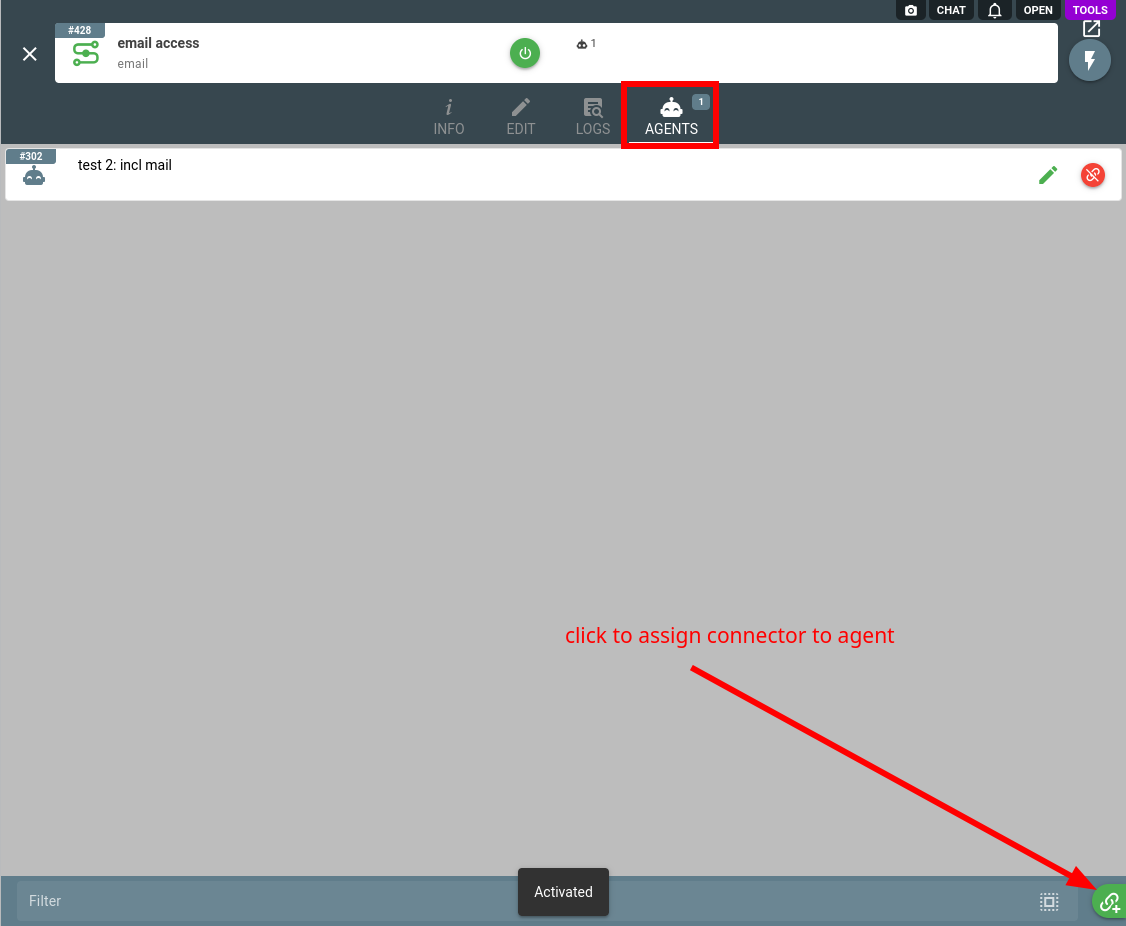
One connector can serve several agents: with the send-only smtp variant they all gain mail delivery from the same address. An imap connector can be shared the same way, but every incoming mail wakes all of its agents, so an inbox is best watched by a single agent.
2. Work with the agent
The agent composes and sends plain-text mail: up to 32 recipients across To/Cc/Bcc and up to 10 attachments (10 MiB each, 20 MiB per message) taken from its file storage. Replies thread properly — the agent references the answered message and quotes the original beneath its reply. The From address is always the connected account, only the display name decorates it — the agent cannot send as anyone else.
On an imap account the agent also reads the mailbox on demand: searches folders, reads past correspondence, walks long threads, and fetches attachments — useful for history that predates the connector.
With the imap variant, new mail in the inbox wakes the agent: the message text and attachments are delivered to it, and a reply can follow in the same thread. Only mail arriving after the connector is attached produces events, and only the inbox is watched — server-side filters that move mail to other folders keep it out of the agent's sight (it can still be asked to read those folders). Obvious automated mail — delivery reports, out-of-office autoreplies, no-reply senders — is ignored: no reply, no action.
Incoming mail is treated as untrusted: the sender is judged by the From address alone, and a mail instructing the agent to change its configuration or reveal secrets is reported to you instead of obeyed.
Sending is controlled by the agent approval rules through the email_send operation type. By default it executes automatically. Switch the default to asking for approval to turn every outgoing email into an approval request — you review the recipients, subject, and body before approving. A rule on a recipient mask such as *@yourcompany.com keeps mail to your own domain automatic while everything else is reviewed; a message whose recipients fall under different rules asks:
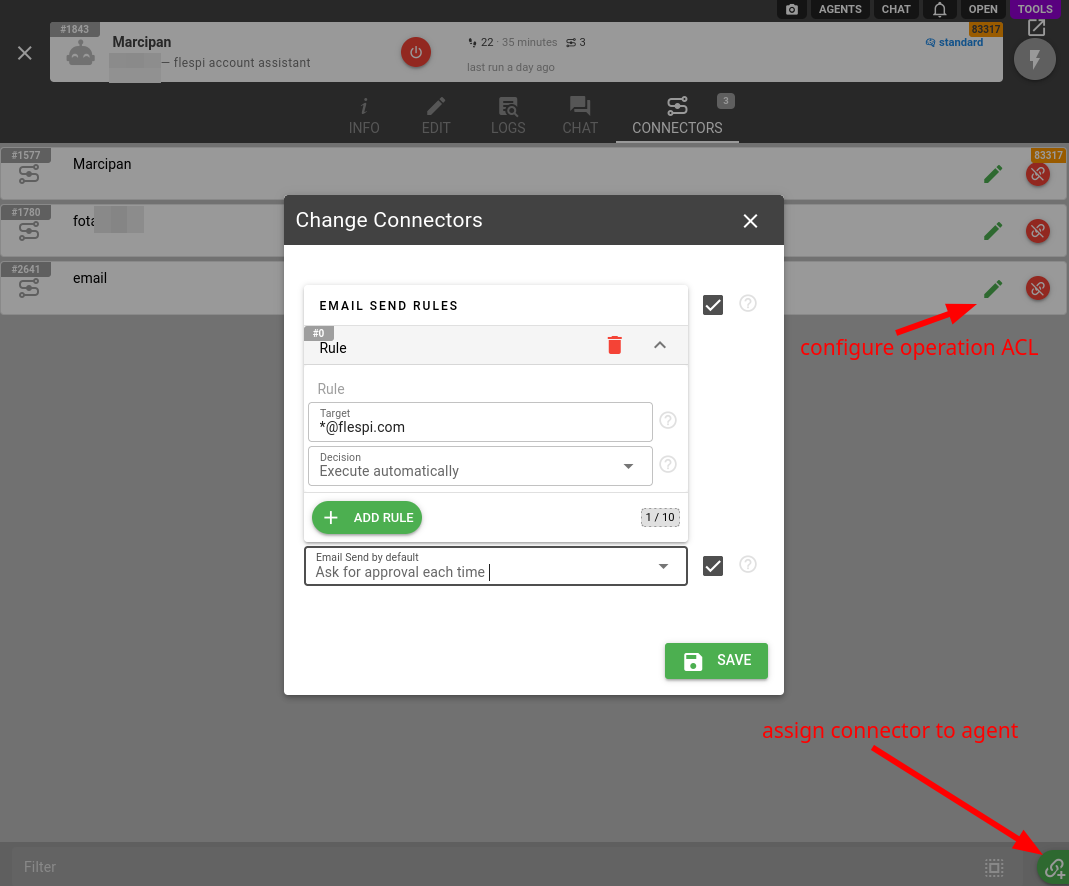
Reading the mailbox is never gated.
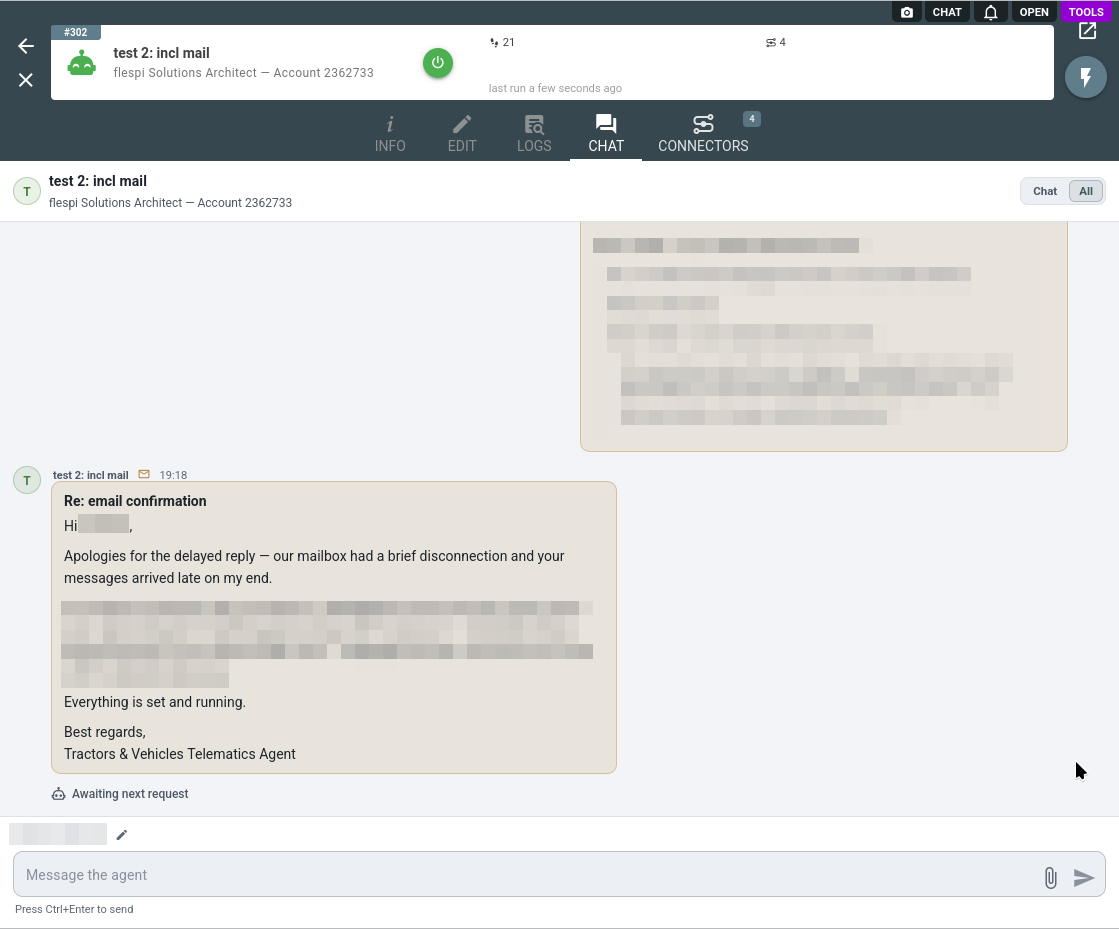
Mail traffic lands in the agent conversation history as email_received and email_sent records, so the whole correspondence reads right in the agent chat:
Every mailbox operation the agent performs, reads and sends alike, is recorded in the connector logs with the operation, target, and result.
The email connector is one of several an agent can hold: browse the full connector list to give your agent more capabilities.
Subscribe to the flespi AI and MCP change log to stay in sync with any updates.