The Telegram connector gives your flespi AI agent a Telegram bot identity. Talk to the agent right from Telegram — alone in a private chat or together with your team in groups — and receive its approval requests as Approve/Reject prompts in the private chat.
New to flespi AI agents? Read the flespi AI agents article first: what agents are, how they reason and sleep, and how approvals keep you in control. This article covers the Telegram side of the story.
1. Create the bot
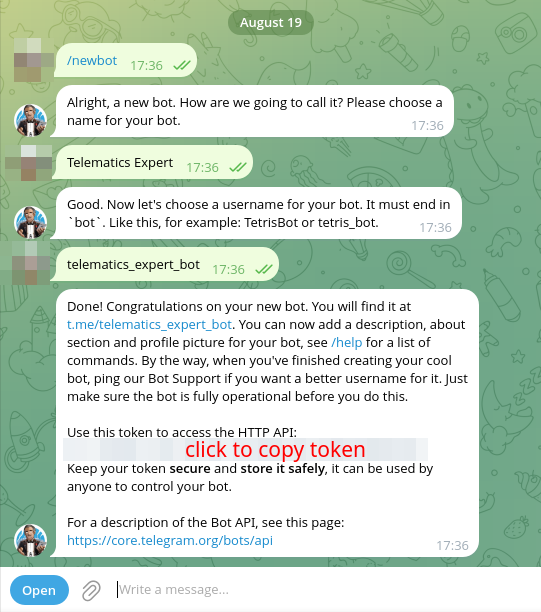
Create a bot with @BotFather using the /newbot command. The bot identity, name, and picture are yours to manage in BotFather:
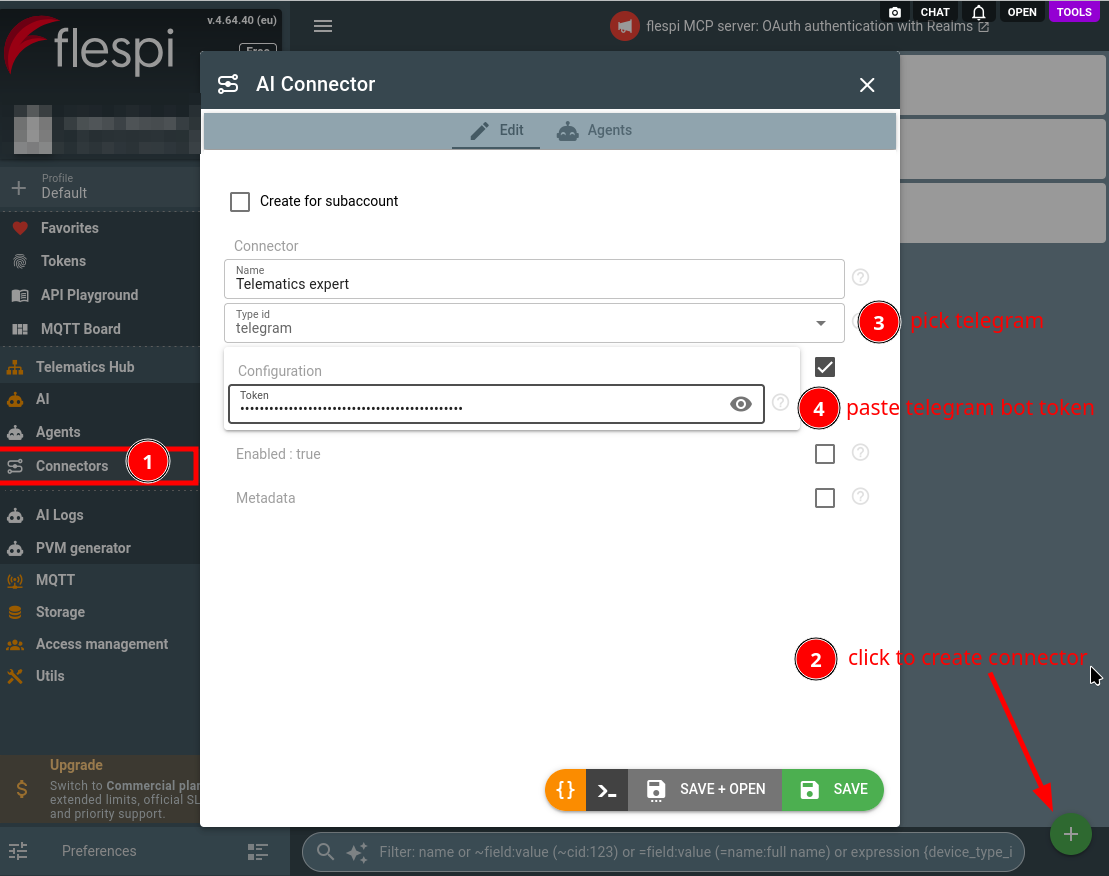
Paste the issued bot token into the configuration of a new connector of the telegram type — that is the only field:
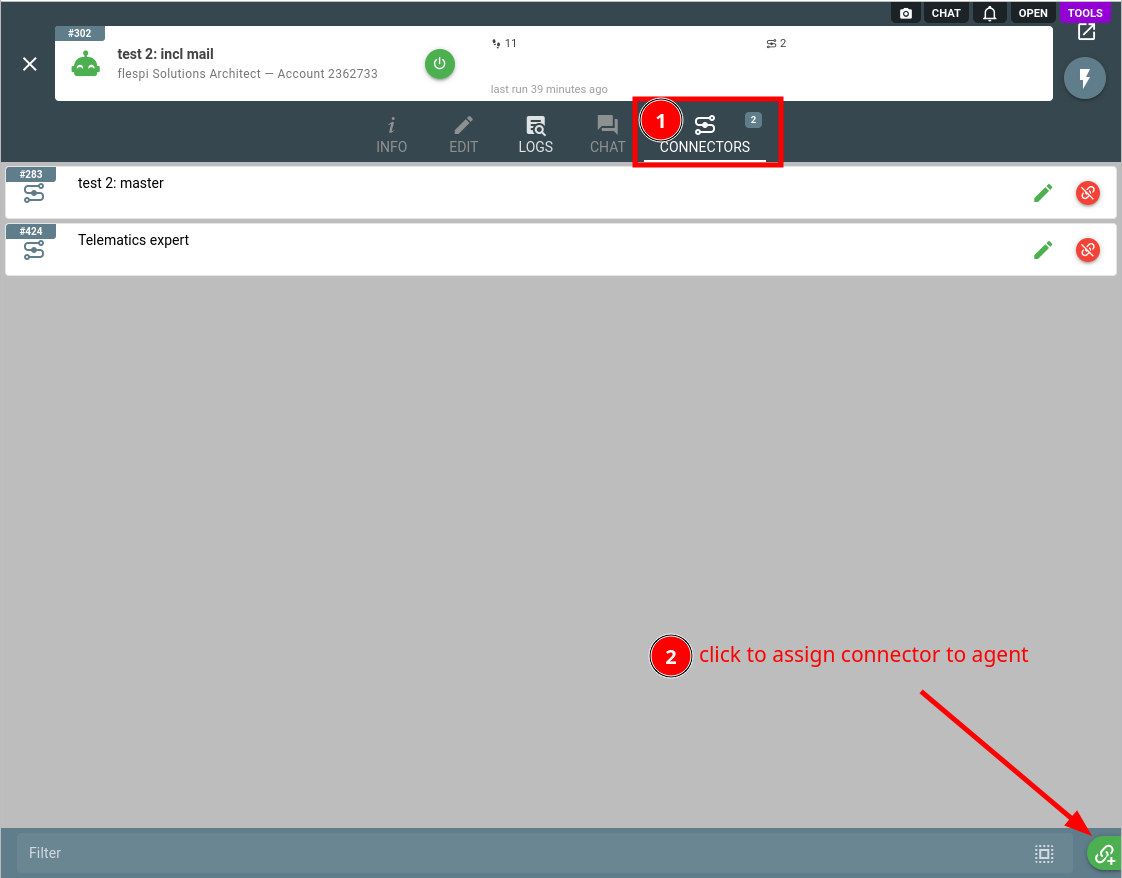
Assign the connector to your agent (create one if you have none yet) on its Connectors tab:
The bot must be dedicated to this agent alone: Telegram delivers a bot's incoming updates to a single consumer, so a bot shared with another system stops receiving messages for the agent. Swapping the token to a different bot resets all links and the principal — everyone re-links from scratch. A regenerated token for the same bot keeps the links.
BotFather also decides how much of a group the bot sees: with the default privacy mode it receives only mentions, replies to its messages, and commands. Turn privacy mode off or make the bot a group admin to let the agent follow the whole conversation, and enable Bot-to-Bot Communication Mode on top to let agents talk to each other in shared groups.
2. Link chats
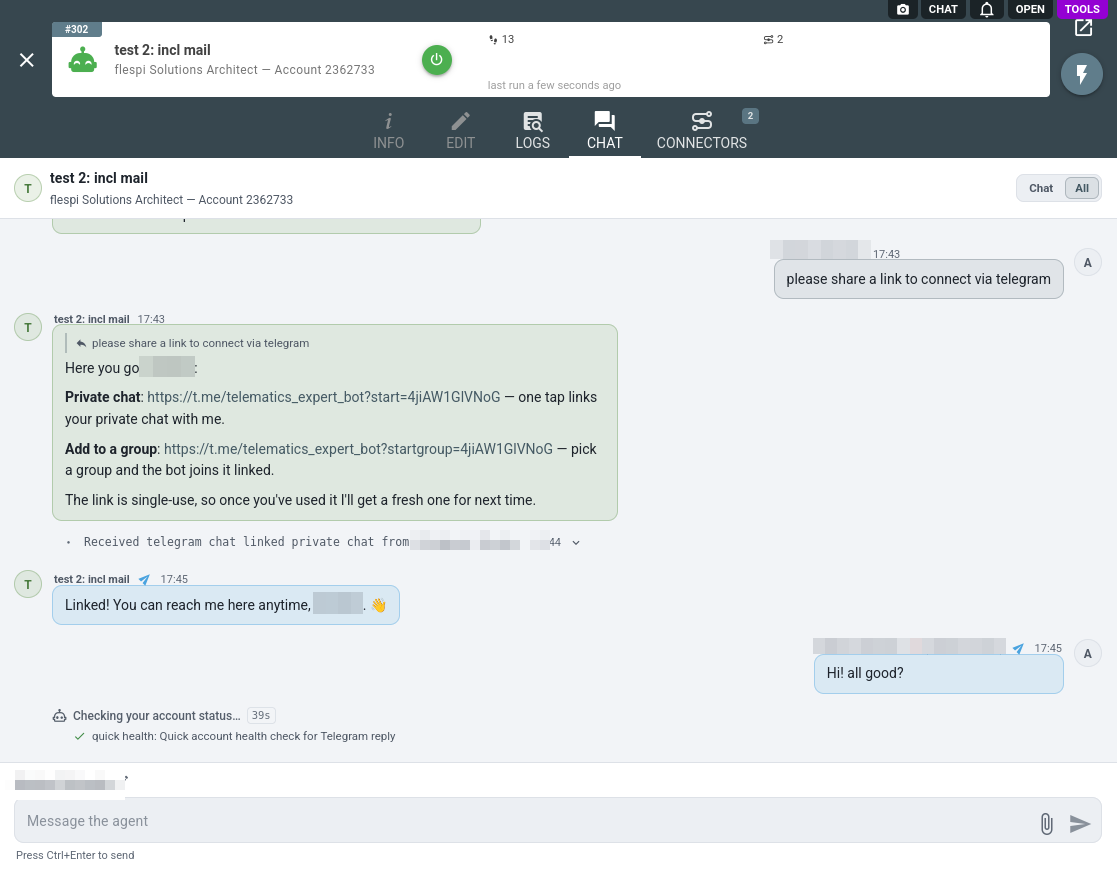
Chats are not configured — they link to the agent with a one-time code. Ask the agent to connect a chat, and it hands you the link:
- private chat: open
https://t.me/{bot}?start={code}— one tap links it; - group: open
https://t.me/{bot}?startgroup={code}and pick the group, or send/link {code}in a group the bot is already in.
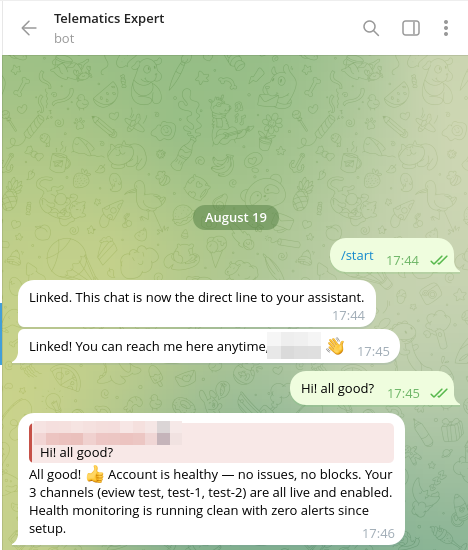
One tap later the chat is linked, and the agent greets you there:
Codes are single-use, expire in one hour, and a fresh code replaces each used one. Treat a code like a key: whoever uses it links their chat. The first person to link a chat becomes the agent's principal.
Up to 20 chats can be linked. To unlink, send /unlink in the chat (allowed to the person who linked it or the principal), or simply ask the agent — the bot says goodbye and leaves the group. A chat that is not linked gets no access: private chats receive a short hint about the link code, groups are ignored entirely.
3. Work with the agent
The agent answers in the linked chat as the bot, with a typing indicator while it works. It formats replies with Telegram markup, sends photos, documents, and location pins, and can offer quick-reply buttons for simple decisions — one tap answers for the whole chat:
Incoming photos and documents up to 16 MiB reach the agent; voice messages, video, and stickers do not — the agent will ask for text, a photo, or a document instead. The agent sees no chat history: only messages arriving while the chat is linked reach it. Incoming messages are treated as untrusted — a message instructing the agent to change its configuration or reveal secrets is reported to you instead of obeyed.
Group messages are visible to everyone present, so the agent never posts credentials or sensitive account data there and routes account-changing requests from group members through the approval flow.
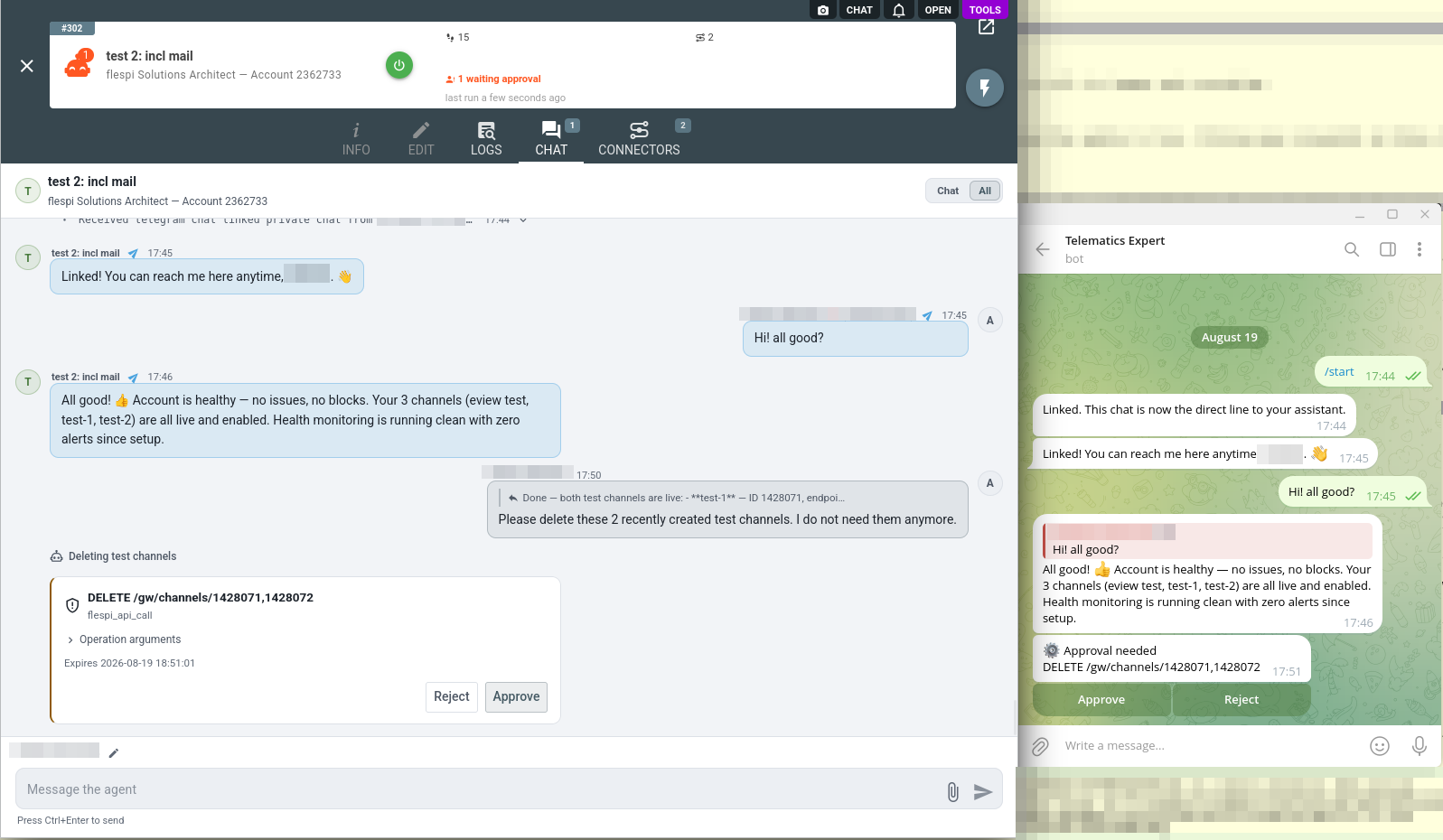
Approval requests arrive in the principal's private chat: each operation awaiting a decision comes as a message with Approve and Reject buttons. A resolved request disappears from the chat, so a visible prompt always means the decision is still pending. The same request stays live in the agent chat in the panel, so resolve it wherever is closer:
Sending Telegram messages needs no approval rule of its own: the agent can only write to chats you linked, so the authorization happened when you linked them.
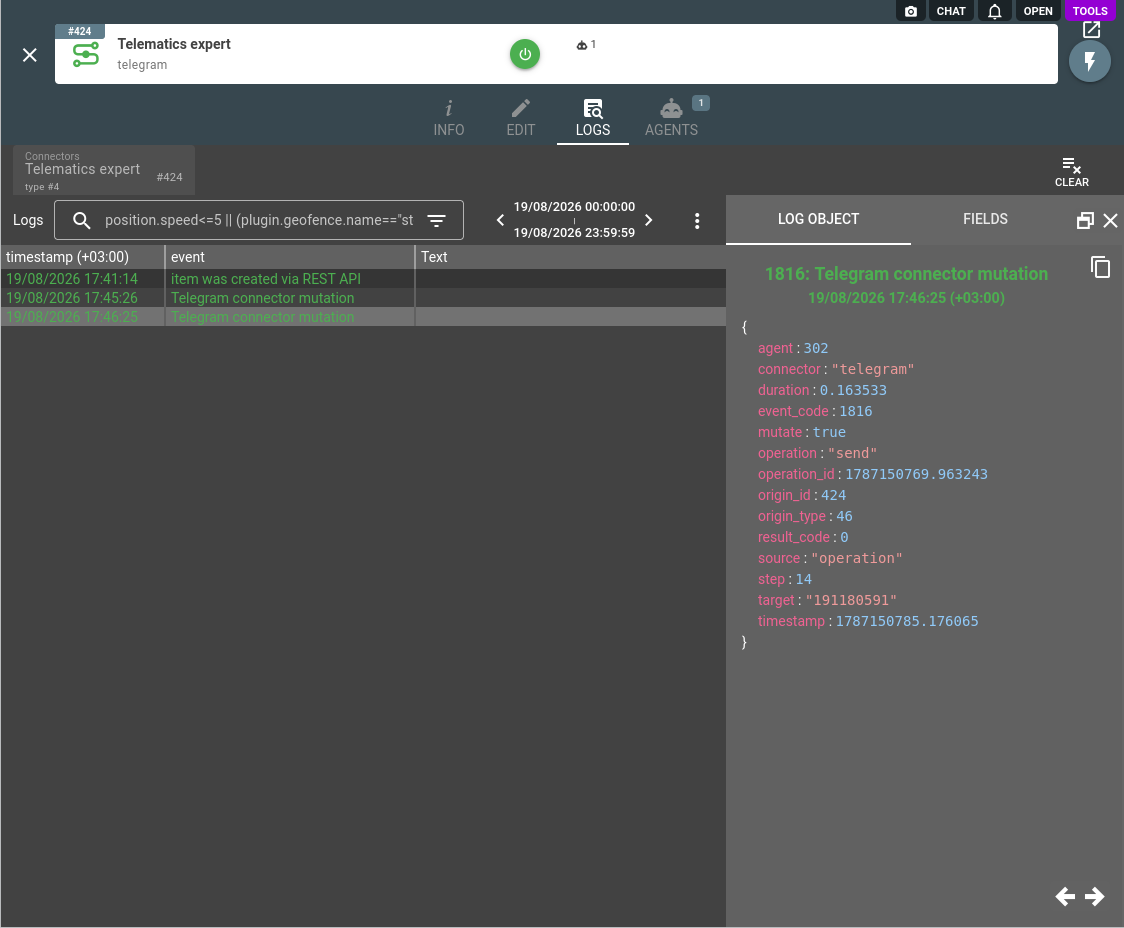
Chat traffic lands in the agent conversation history as telegram_message_received and telegram_message_sent records, chat link changes as telegram_chat_linked and telegram_chat_unlinked, and every Telegram API call the agent performs is recorded in the connector logs with the operation, target, and result:
A bot of yours that only pushes notifications into a chat, without the conversation and the approval prompts, needs no Telegram connector: it is an ordinary system of the HTTP API connector.
The Telegram connector is one of several an agent can hold: browse the full connector list to give your agent more capabilities.
Subscribe to the flespi AI and MCP change log to stay in sync with any updates.