Ask your flespi AI agent for a web app and it builds one: a live map for dispatchers, a dashboard for the manager, a portal for your customers, a tool for your own team. The agent publishes the app on a domain of its own, the app runs on flespi with no servers on your side, and the agent stays its engineer and maintainer. This article explains what such apps are, how to ask for one, and what to expect.
1. What an app can be
Anything a browser can show or do over your data:
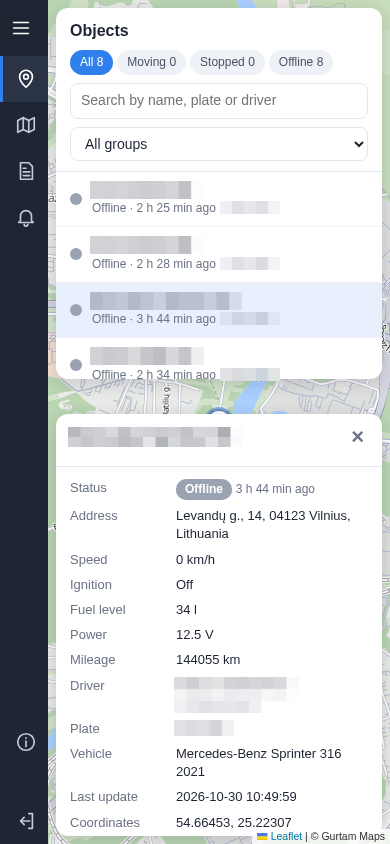
- a live fleet map — vehicle states, trips and track playback, on a desktop or a phone;
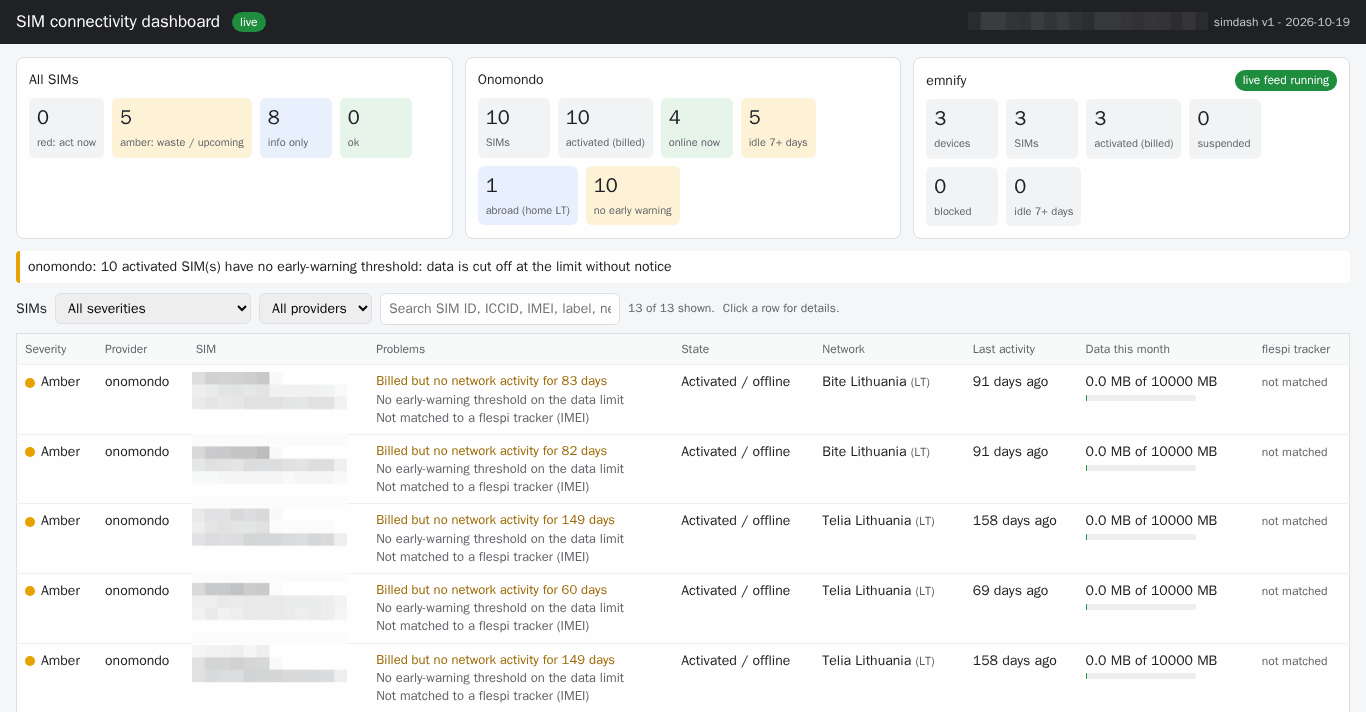
- a dashboard — connectivity, mileage per day, fuel, KPIs, a driving score, CSV export;
- a portal for your customers — each with their own login and their own vehicles;
- an operations tool — tachograph download health, a vehicle document register, bulk changes in a connected system, a migration wizard;
- a page to share — a weekly summary for people without a login, a presentation, an inventory.
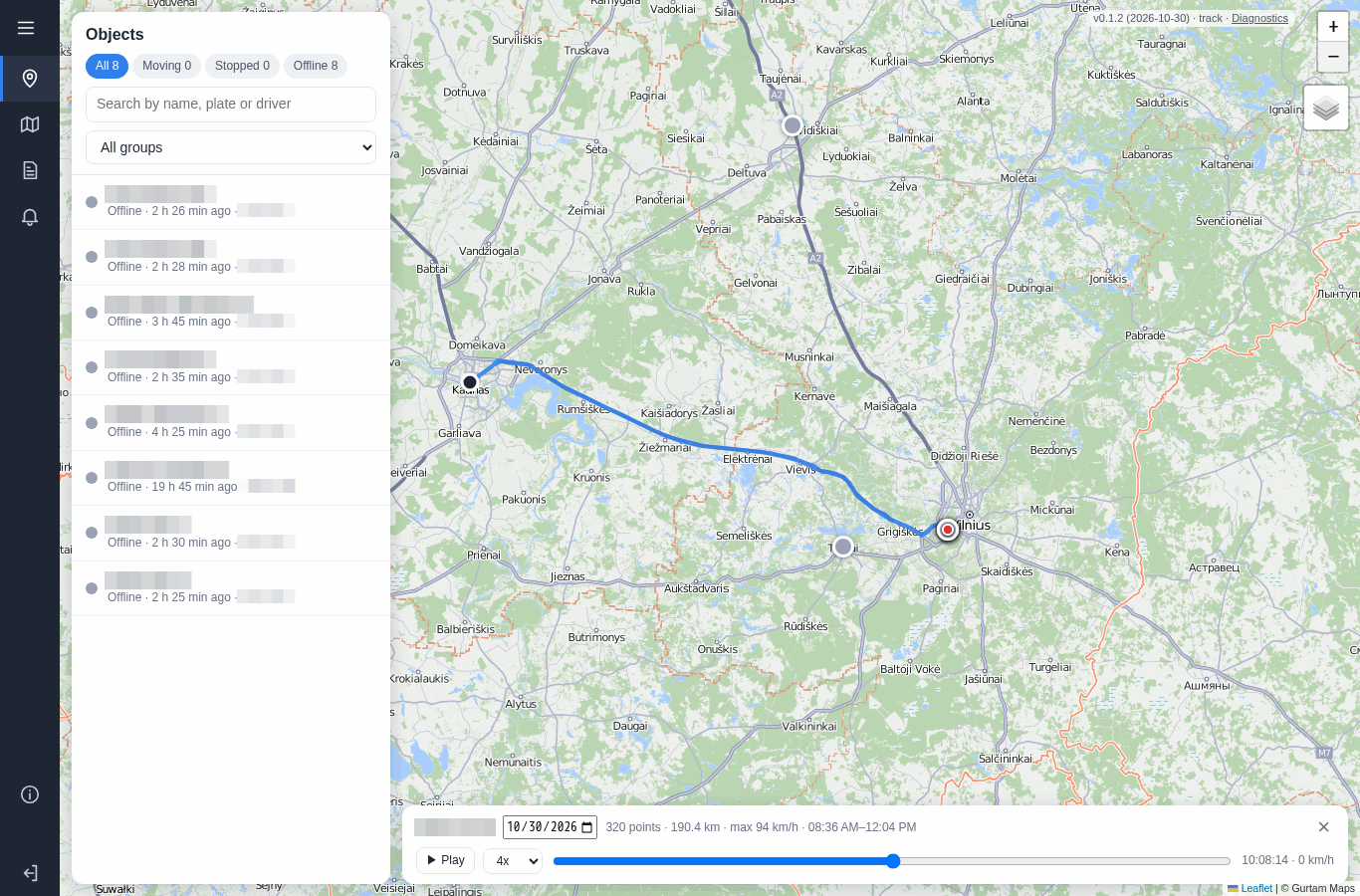
With a connector the app works on the connected system's data as well, as an add-on where users sign in with their login to that system.
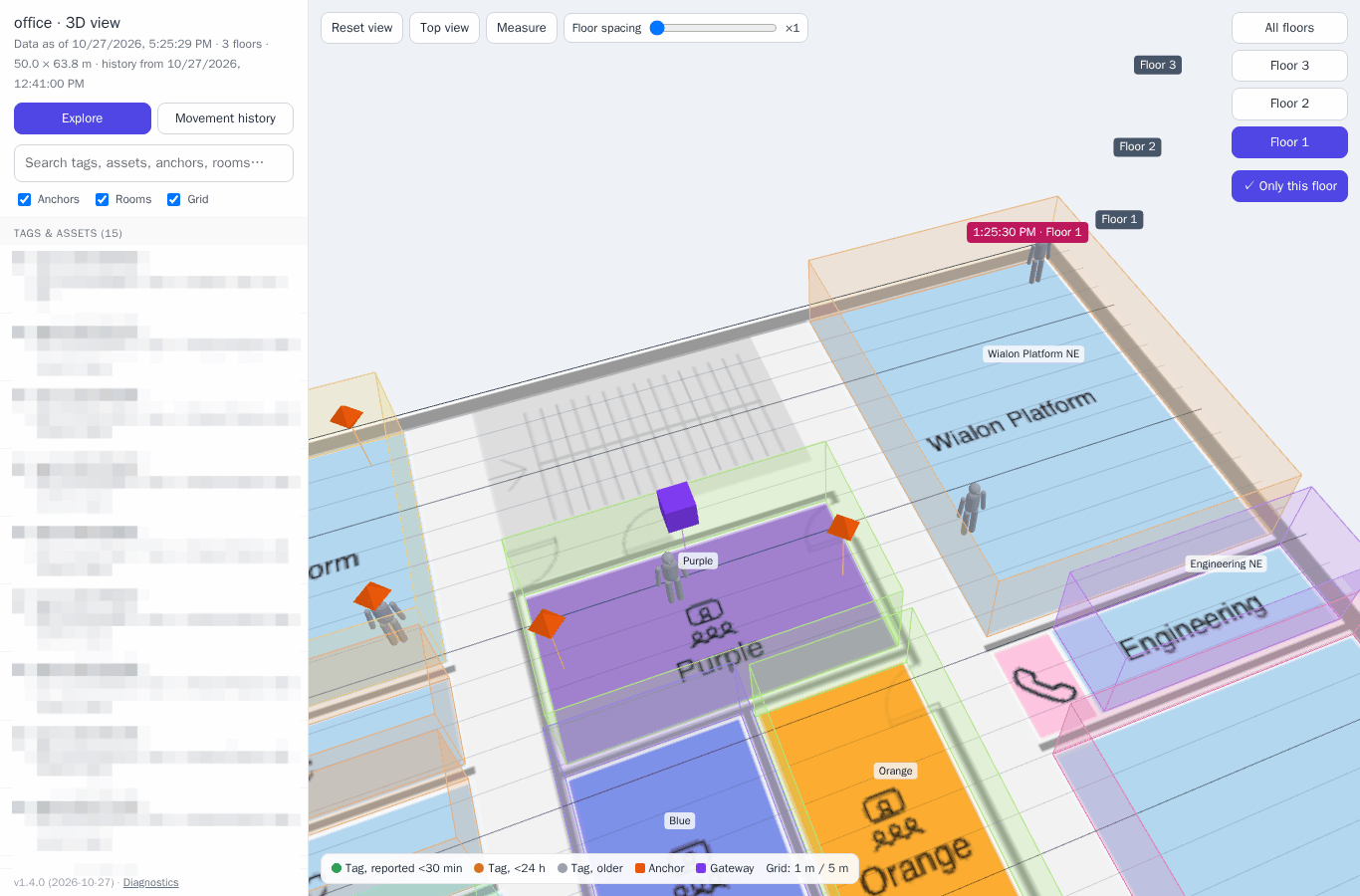
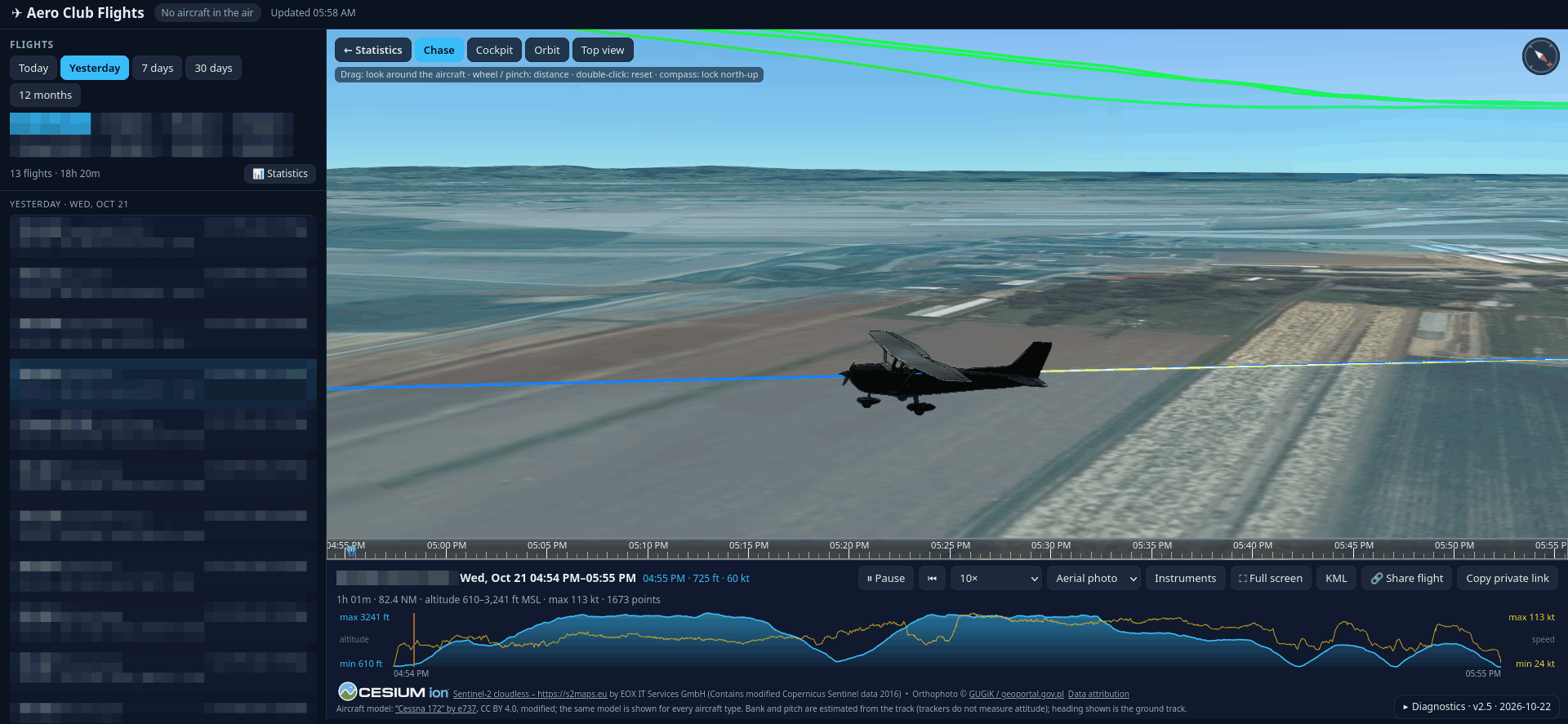
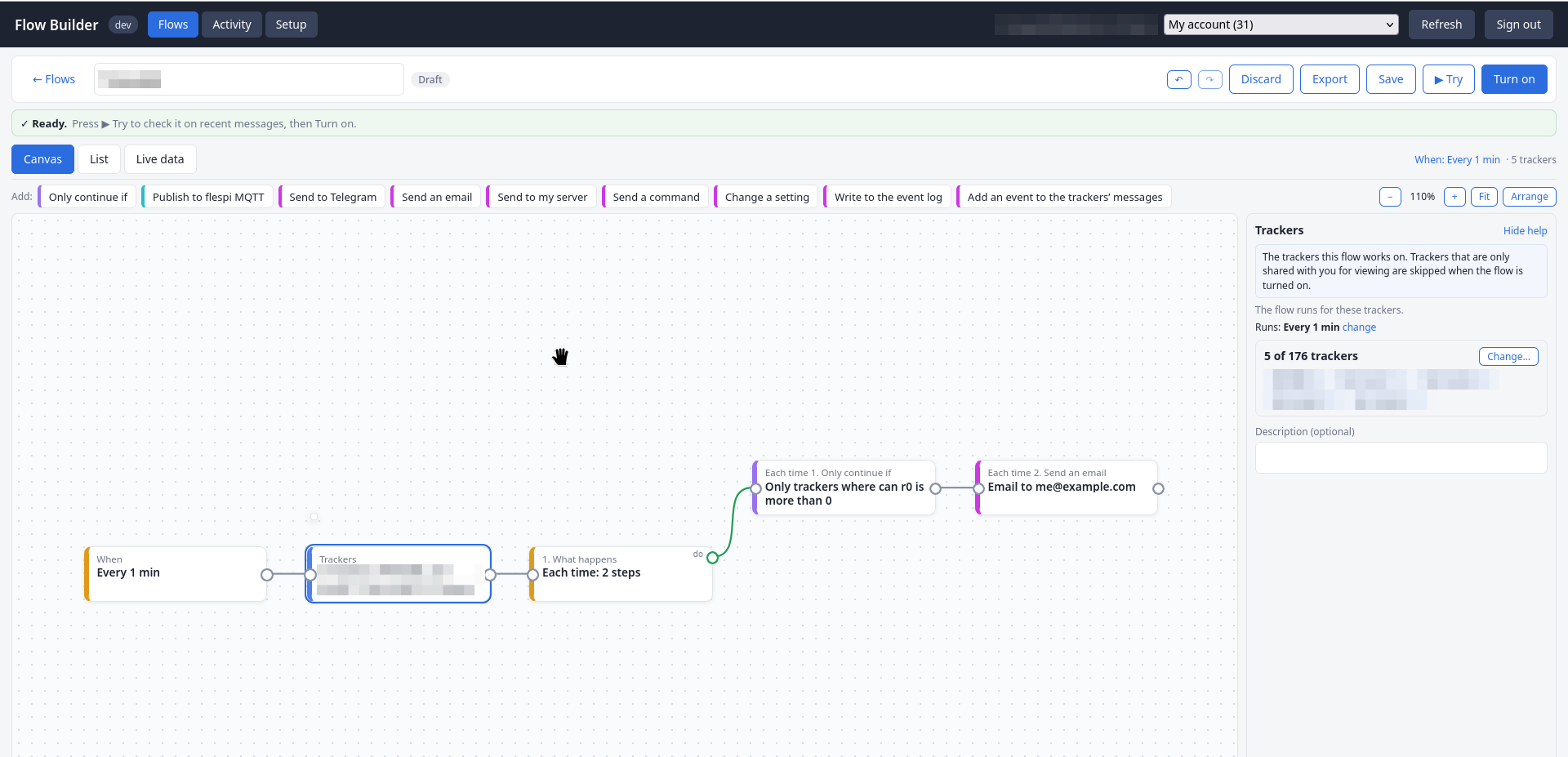
An app can go as far as a 3D view of an office with the BLE tags of people and assets moving across its floors, a 3D flight replay for an aero club, or Flow Builder, a no-code automation builder over flespi plugins, calculators, webhooks and messaging:
2. How to ask
Describe who will open the app and what they need to see or do. "A dashboard with connectivity status, mileage per day and fuel consumption for my fleet" is a complete ask. The agent answers with a design: what the page shows, who signs in, what it creates in your account and what the work costs. Approve it with a word or change the plan. The first version of a live app is ready in about an hour.
The agent has a web browser of its own. Before the handover, and after every fix, it opens the published page the way its users will, on a desktop and on a phone, checks the figures against its own reads of your data, and reads the console and the network traffic. Ask for a how-to guide for your users and it writes one with screenshots of the real page. Say where the app will be used: a page for the field gets a phone layout.
Then use the app on real data and tell the agent what to change. A screenshot and the text from the page's "Copy diagnostics" button are enough for a fix, the agent republishes the page under the same link, and the version stamp tells the builds apart. Bigger changes go to a preview address first.
3. How the app works
flespi is the backend. The page signs its users in and reads the platform directly: positions over MQTT, calculator intervals for trips, stops and daily totals, containers for history and app state, the retained store for current values. What the platform does not provide, the agent provides with a handler of its own: it collects data from a connected system or parses files into daily statistics, publishes the result to flespi, and the page shows it live. Once handed over, the app works on its own and costs nothing to run.
The agent proposes the sign-in from the audience:
- your own tool — the flespi login window: the page acts with your rights and keeps nothing in the link;
- your customers or team — users of a realm the agent creates, each with a read-only role limited to their devices and to the app's address, revocable one by one;
- a shared view — a link carrying a dedicated read-only key that expires with the job. The link is the credential, treat it like a password;
- an add-on for a connected system — the system's own sign-in: the page runs with that user's own rights and the data stays in that system;
- a tool for any account — the user pastes a token, held in memory only.
The agent never embeds a master token in a page and never learns the realm users' passwords. Every change the page can make passes your approval rules at design time, and the page then runs under its users' own rights.
4. Ownership and costs
Each app stays with the agent and lives on its domain as long as the agent does. To own the files, ask the agent to move the app into a CDN of your account or host it on your own server. Your developers can also edit the source and hand it back for the agent to review and republish. An app published by another agent, such as Flow Builder, can be forked the same way: point your agent at its link, it copies the files into your account and continues from there.
Building the app is agent work like any other task: a focused app costs tens of euros, a feature-rich portal with many revisions a few hundred euros over several days. The agent states the estimate in its proposal, and running the finished app costs nothing.
Subscribe to the flespi AI and MCP change log to stay in sync with any updates.