The Wialon Hosting connector gives your flespi AI agent access to a Wialon Hosting account: Wialon documentation and API expertise plus direct work with the account data on your behalf. Use it to manage a Wialon Hosting account paired with flespi — or on its own, without any flespi pairing.
New to flespi AI agents? Read the flespi AI agents article first: what agents are, how they reason and sleep, and how approvals keep you in control. This article covers the Wialon Hosting side of the story.
1. Connect the account
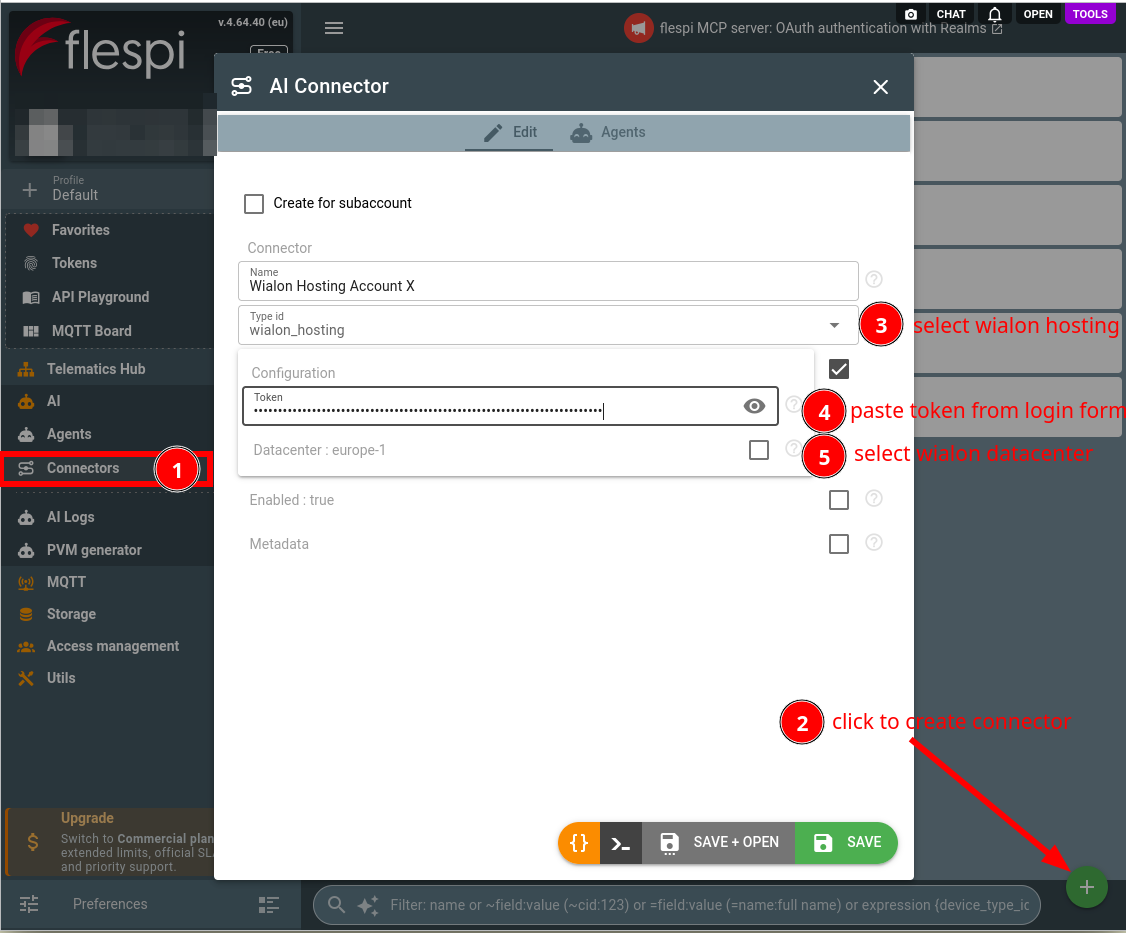
Two configuration fields:
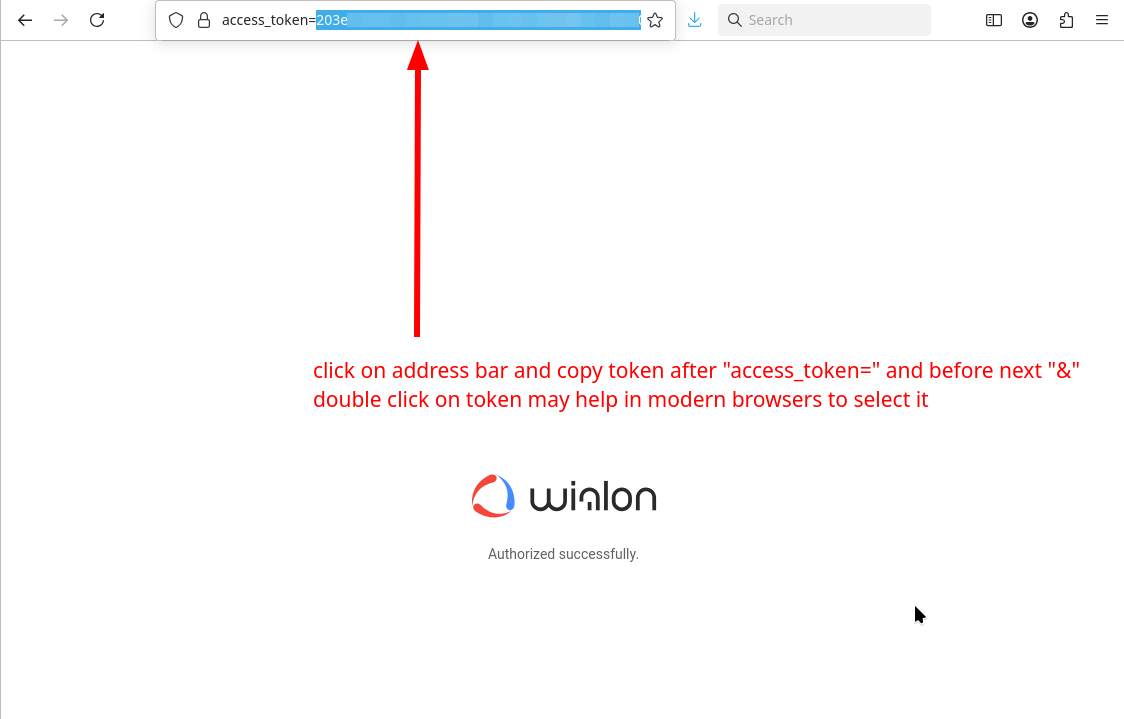
- token — a Wialon Hosting access token. Wialon issues tokens through its token authorization page: open this link (it targets Europe 1, for another datacenter replace the domain), sign in with your Wialon user and confirm the access request. Wialon then redirects to an address carrying
access_token=, and the 72-character value after it is your token. The link already asks for full access (access_type=-1) and no expiry (duration=0, Wialon deletes a token after 100 days without use). - datacenter — the Wialon Hosting installation your account lives on: Europe 1 (hosting.wialon.com, the default), Europe 2 (hosting.wialon.eu), Europe 3 (hosting.wialon.org), USA (hosting.wialon.us), or KSA (ksa-hosting.wialon.com). A mismatched datacenter fails the login.
Copy the token from the address bar of the page you land on:
Create a connector of the wialon_hosting type with the token and the datacenter:
Assign the connector to your agent (create one if you have none yet), choosing what the agent may change on its own: the default rule for account-changing Wialon API calls and, above it, rules for the parts of the account you trust it with. The targets are the families of the Wialon API: units and their commands, geofences, drivers and trailers, notifications and jobs, report templates, users and tokens, account and billing, and the rest such as files, routes, orders and messages:
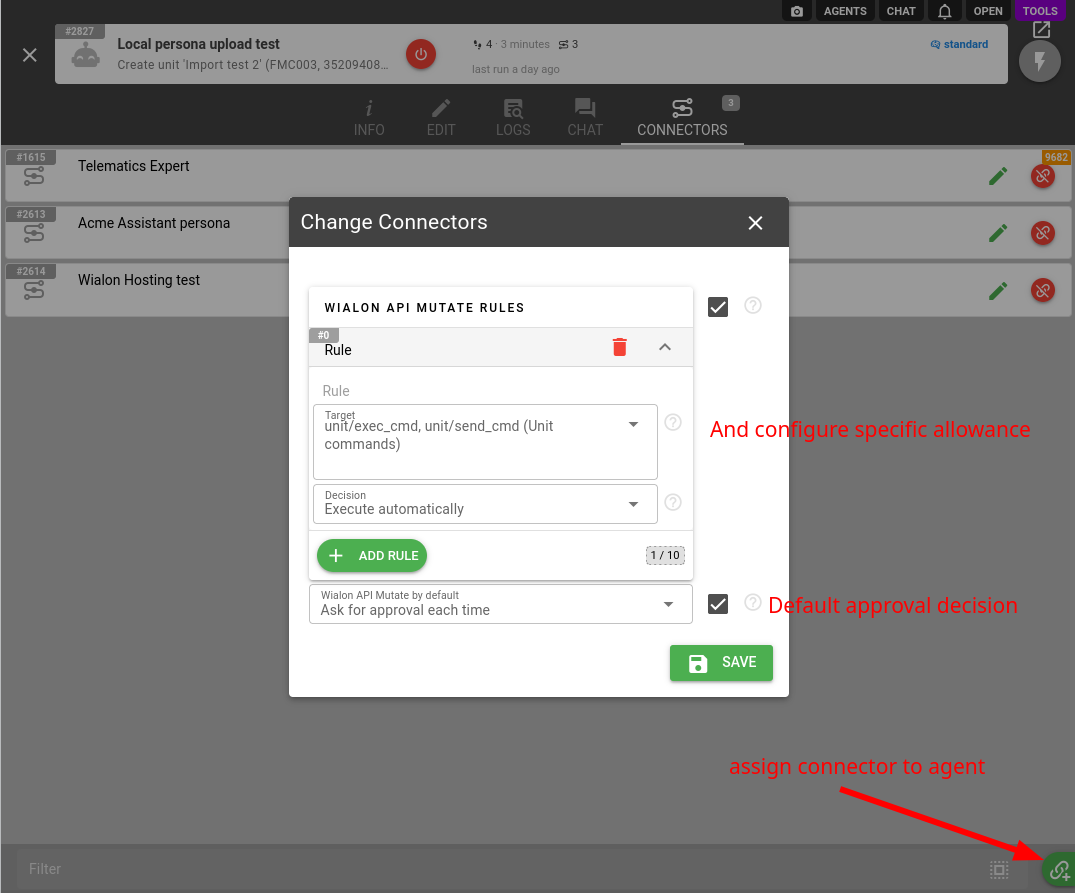
The token defines the ceiling: the agent works strictly within the token's access scope and recommends a broader token when a task is out of reach, rather than attempting calls that will fail. An expired or revoked token surfaces to the agent immediately — it will ask you to reconnect the connector with a fresh one.
2. Work with the agent
The agent knows Wialon: it consults the official Wialon documentation and API reference on its own, so you can discuss units, resources, users, geofences, sensors, notifications, and reports the way you would with a Wialon engineer:
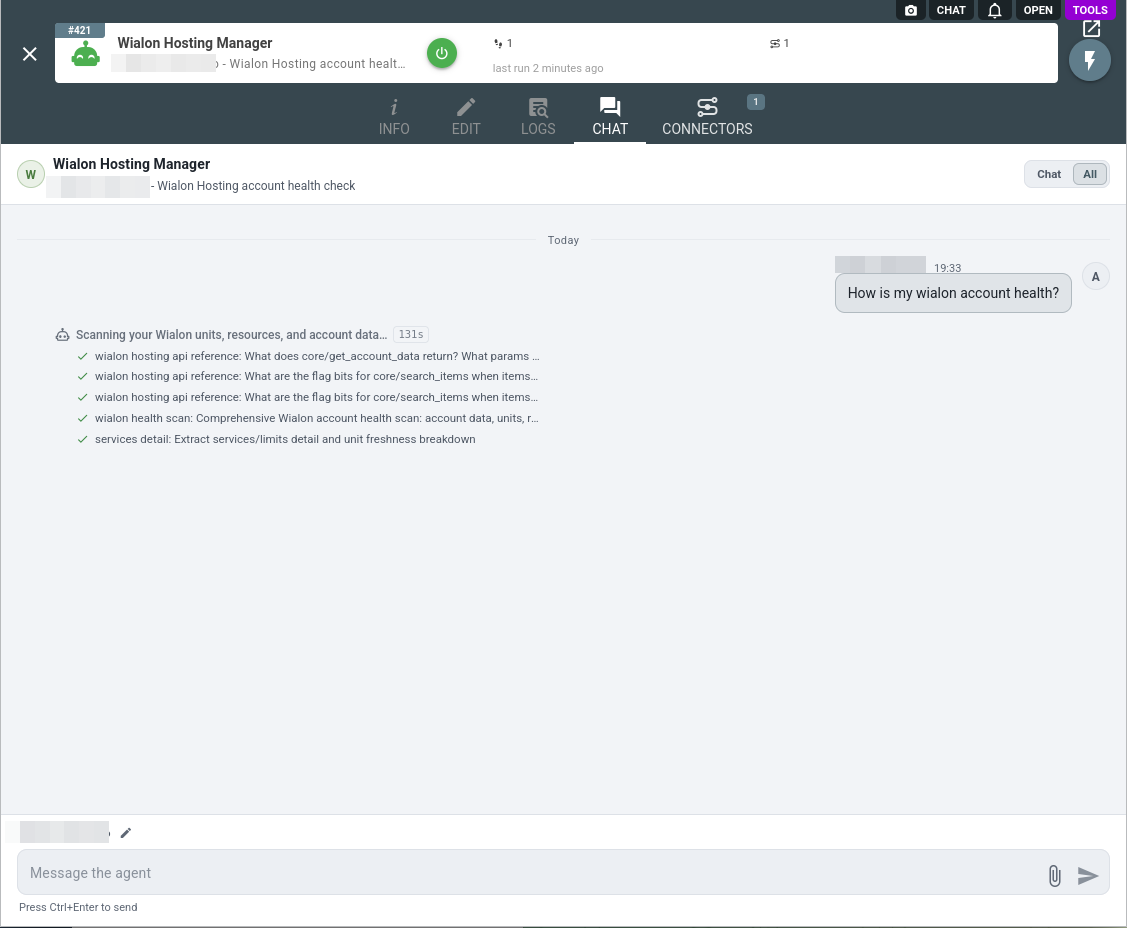
Reading the account is free and autonomous: the agent searches items, loads messages, executes and reads reports, and analyzes the results computationally — all through a read-only surface that physically cannot change anything:
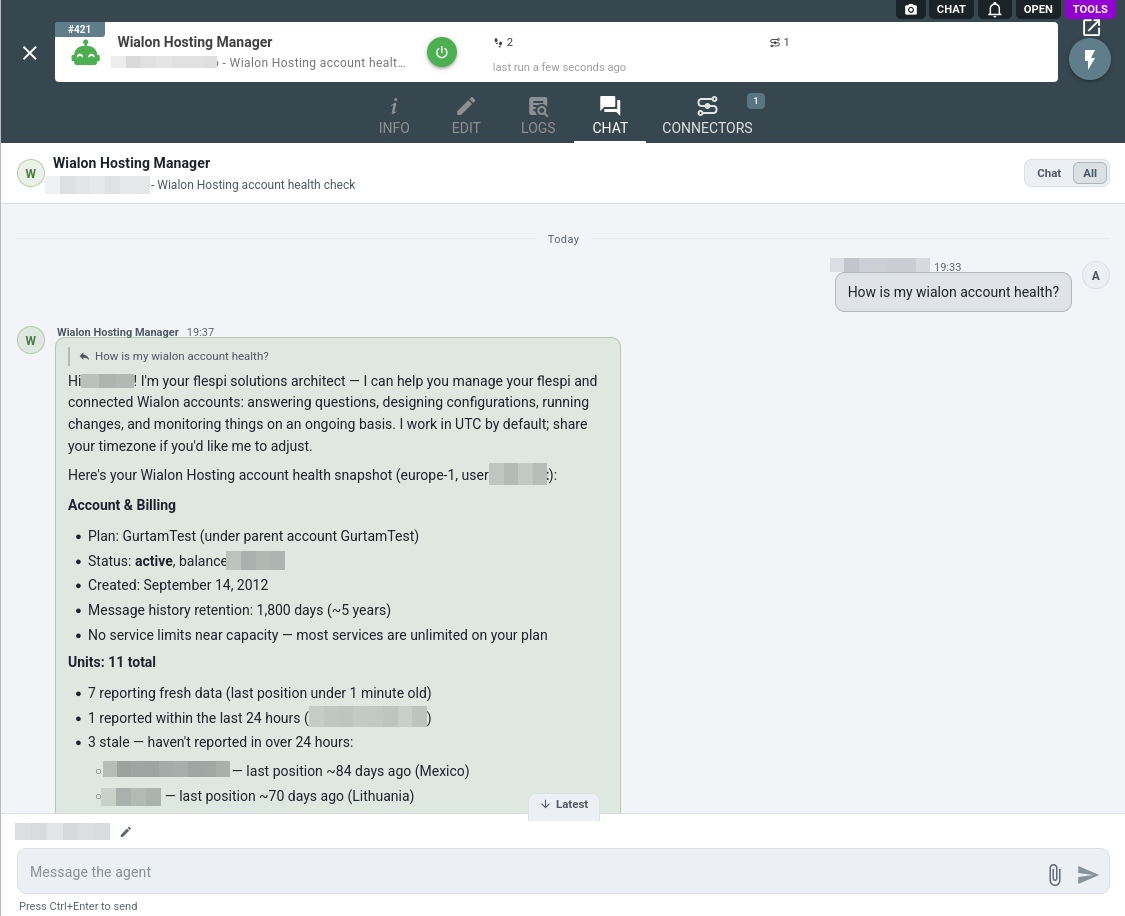
When the account is paired with flespi, the agent reasons across both systems: for example, it checks how flespi data lands in Wialon. The connected account's data stays between you and the agent: it never leaks into other accounts or shared knowledge. A Wialon notification can wake the agent: its request action posts to a webhook address the agent gives you, and the handler reacts the moment the condition fires. Without one, a monitoring task checks the account on its own schedule.
Every account-changing Wialon API call goes through the agent approval rules as the wialon_hosting_api_mutate operation type, and by default each call becomes an approval request — you review the exact call and its parameters before approving:
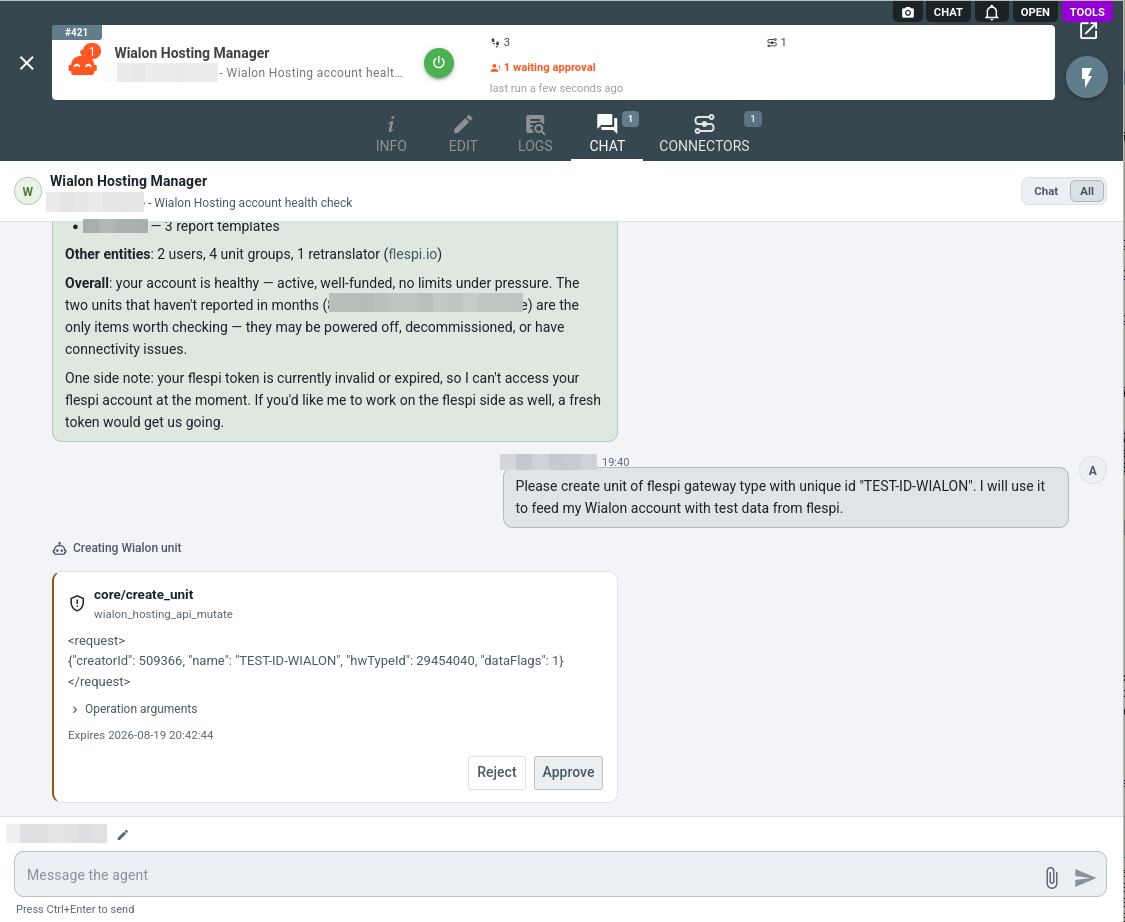
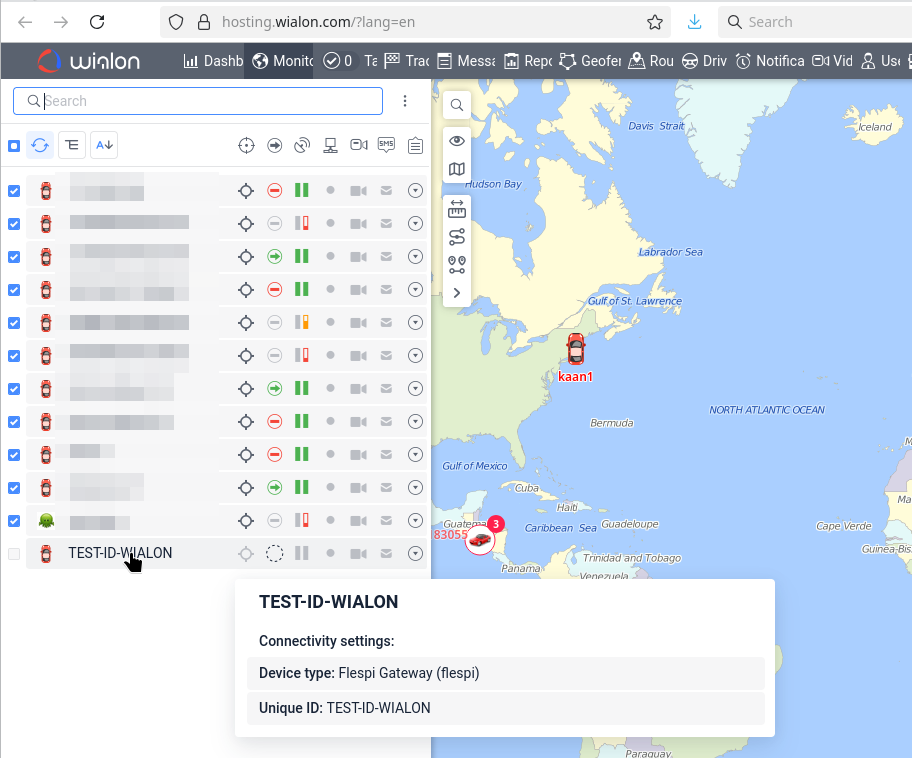
Mind what the default protects before relaxing it: the mutation surface includes commands to physical devices, token operations, and account and billing changes. Rather than switching the whole operation to automatic execution, add a rule for the part you delegate, for example unit commands on automatic execution while everything else still asks. Two approvals later, one for the unit creation and one for its unique ID setup, the requested change is live in Wialon:
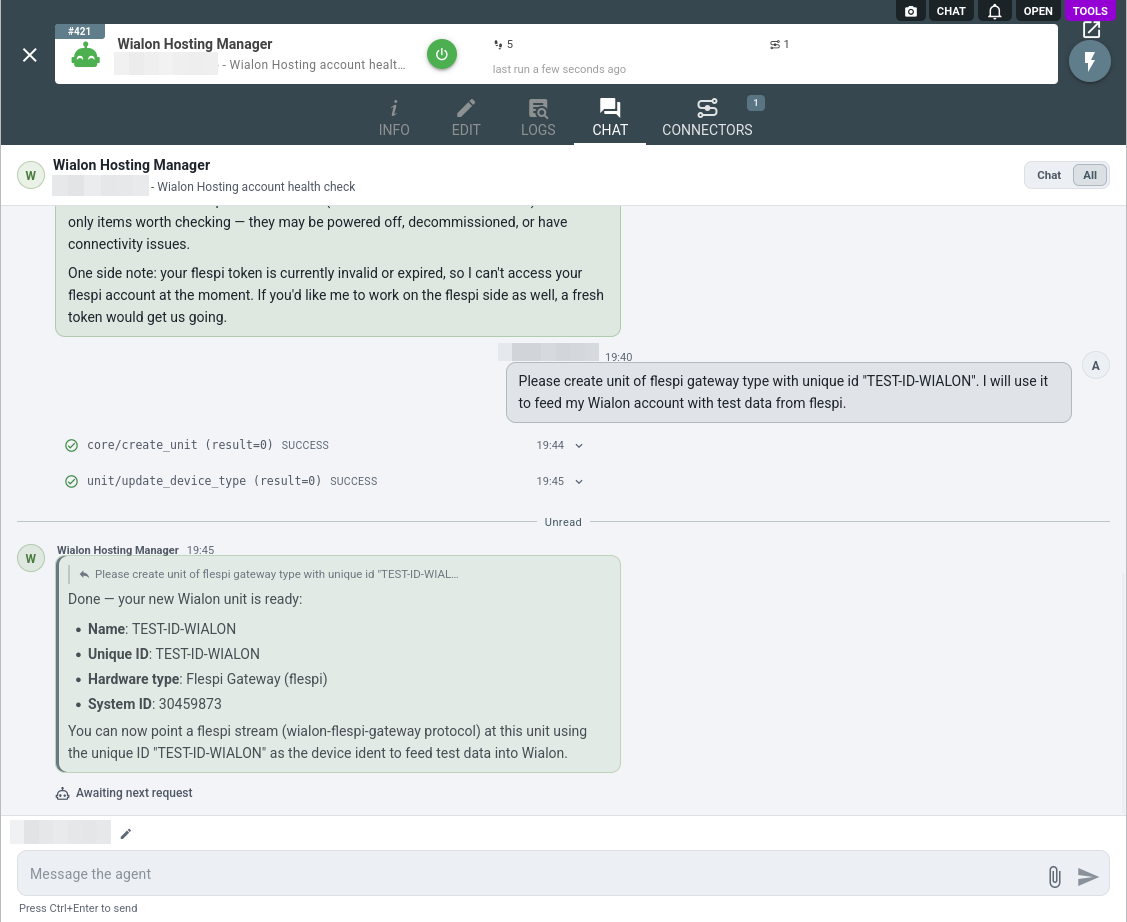
Executed mutations land in the agent conversation history as wialon_hosting_api_mutate_executed records:
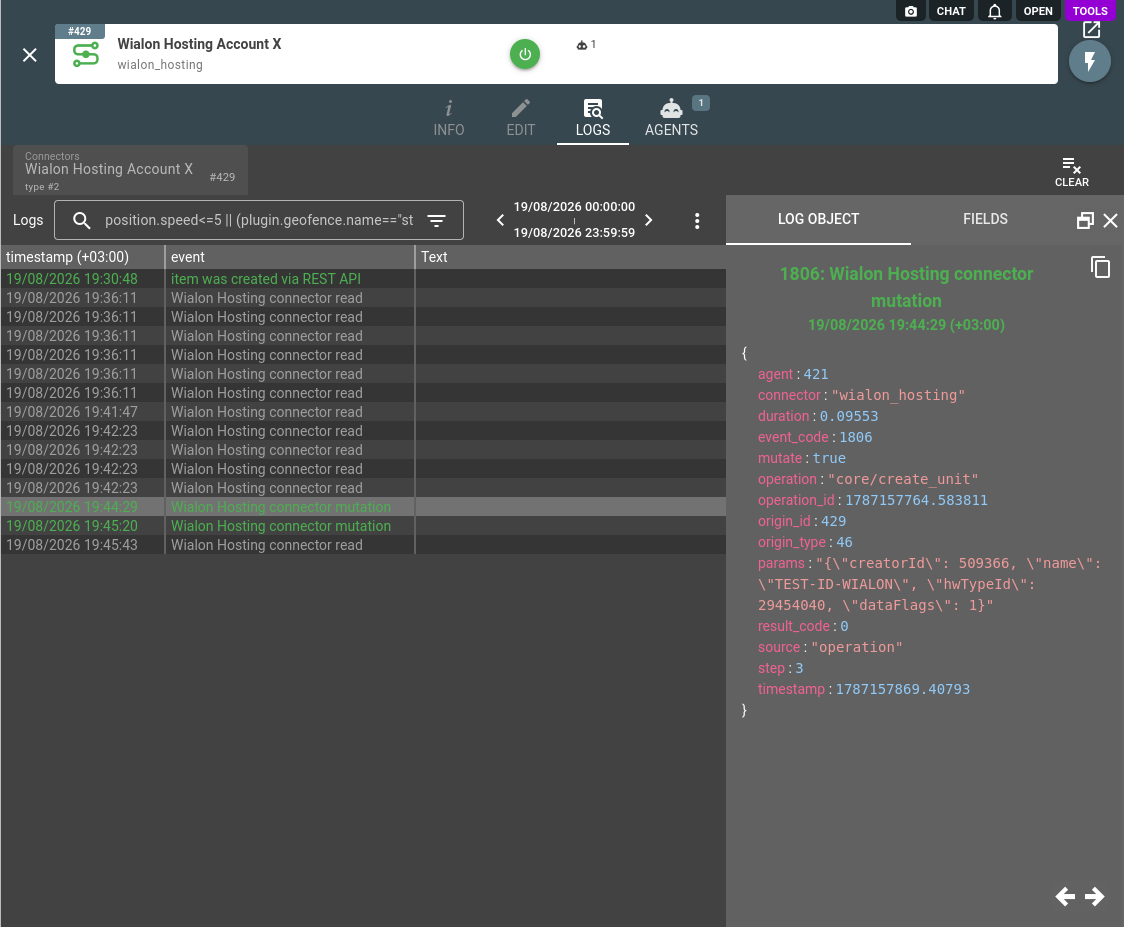
Every Wialon API call the agent performs, reads included, is recorded in the connector logs with the operation, target, and result:
To put the agent in front of the people you serve rather than yourself, pair the connector with a persona: the agent takes your name, speaks their vocabulary, and under branded disclosure never mentions flespi.
A system of yours that has no connector type of its own, an ERP, a ticketing system or the intake of an authority, joins through the HTTP API connector: the agent bridges it with your Wialon account, reading one side and writing the other under your approval rules.
The Wialon Hosting connector is one of several an agent can hold: browse the full connector list to give your agent more capabilities.
Subscribe to the flespi AI and MCP change log to stay in sync with any updates.