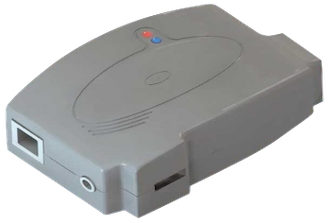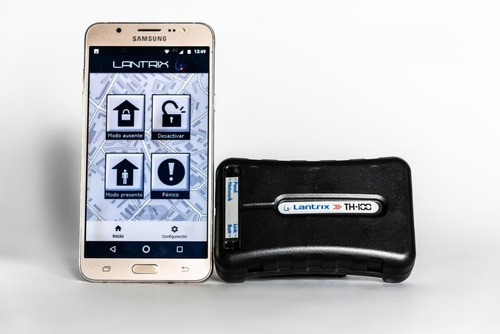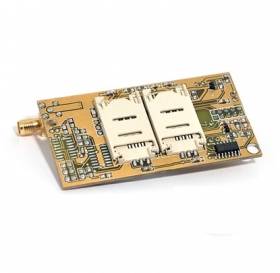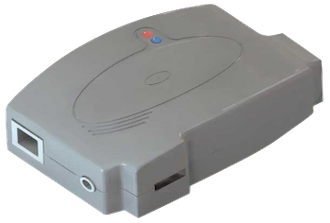
Protocol used by GPS tracking devices manufactured by Lantrix headquartered in Argentina.
flespi parses the Lantrix protocol messages into a JSON object with the
fields listed below in the Parameters tab.
To connect your device using the Lantrix protocol, you need to have a lantrix channel created first.
Point your device to the channel's domain name:port via SMS or configuration tool provided by the vendor.
Then create a device instance for your device and use a Device ID Number in the ident field.
Use the Toolbox tab on the device screen to check if the messages are coming.
alarm.code.description
string
Description of the alarm code
Report RTH
alarm.id
string
Alarm ID
Report RTH
armed.status
boolean
Armed/disarmed status
Report RTH
backup.battery.connected.status
boolean
Backup battery is connected
Report RTH
battery.connected.status
boolean
Internal battery is connected
Report RTH
battery.voltage
number
volts
Internal battery voltage
Report RTH,
Report RTT
Report RTT
channel.id
number
ID of channel that received a message
device.id
number
ID of device that received a message
device.name
string
Name of device that received a message
device.type.id
number
ID of device type of device that received a message
din
number
Digital inputs bitmask
Report RTT
dout
number
Digital outputs bitmask
Report RTT
engine.ignition.status
boolean
Engine ignition or ACC status
Report RTT
event.enum
number
Protocol-specific event code
Report RTT
external.powersource.status
boolean
External power source connection status
Report RTH,
Report RTT
Report RTT
external.powersource.voltage
number
volts
External power voltage
Report RTH,
Report RTT
Report RTT
gnss.antenna.status
boolean
GNSS receiver antenna status
Report RTT
gnss.state.enum
number
Protocol-specific GNSS state code. May contain information about GNSS fix status, sleep status, ON/OFF, Overcurrent/protect state.
Report RTT
gsm.signal.level
number
percentage
Mobile network (GSM, 3G, 4G, LTE, 5G, ...) signal strength level
Report RTH,
Report RTT
Report RTT
ident
string
Device unique identifier like serial number, IMEI, etc
intrusion.alarm
boolean
Intrusion detected by alarm panel
Report RTH
malfunction.indicator.status
boolean
Malfunction indicator status: true - active, false - not active
Report RTH
panel.bus.status
boolean
Alarm panel data bus connection status
Report RTH
peer
string
IP:port from which device connecting to the channel
position.direction
number
degrees
Heading angle at position detection moment
Report RTT
position.fix.age
number
seconds
Time since the last position fix
Report RTT
position.hdop
number
Horizontal dilution of precision
Report RTT
position.latitude
number
degrees
Latitude coordinate value
Report RTT
position.longitude
number
degrees
Longitude coordinate value
Report RTT
position.satellites
number
Quantity of satellites used to calculate coordinates for given position information
Report RTT
position.satellites.visible
number
The number of visible GPS satellites at the time the location was received
Report RTT
position.speed
number
km/h
Instant speed at position detection moment
Report RTT
protocol.id
number
ID of protocol
record.seqnum
number
Registered record sequence number
report.code
string
Report code
Report RTH,
Report RTT
Report RTT
server.timestamp
number
seconds
Timestamp when server received a message
siren.status
boolean
Siren activation status
Report RTH
timestamp
number
seconds
Message timestamp
Report RTH,
Report RTT
Report RTT
Tags