Essentials
Codi is the AI assistant in the flespi support chat (HelpBox). It knows the KB, the blog, the API documentation and the documentation of popular devices, sees your account data and checks your channels, devices, logs and configuration while answering. It works in the same chat as the flespi team, and you switch between the two at any moment.
Codi is very powerful on:
- consulting about channels, devices, calculators, streams, plugins, webhooks, grants and subaccounts configuration;
- consulting on how to use flespi via REST or MQTT API, with code snippets in your programming language;
- consulting on advantages and disadvantages of a specific device or manufacturer;
- consulting on billing and account limitation questions;
- for the most popular devices, consulting like a device manufacturer support agent: configuration, FAQ, quick start, remote management, integrated peripherals and so on;
- consulting on a particular protocol implementation in flespi, checking parameters availability or values enumeration;
- diagnosing issues with devices, analyzing their configuration, data and logs;
- consulting on how to efficiently apply flespi in various business verticals based on our use-cases;
- generating flespi-oriented code snippets in various programming languages, expressions for your task and code for PVM plugins;
- providing the current information on flespi platform availability from different countries and resolving network-related issues between your host and flespi;
- assisting with cross-platform questions, e.g. combining Wialon (GPS-Trace, Ruhavik, Forguard, etc.) and flespi.
Codi backs its answers with links to the sources.
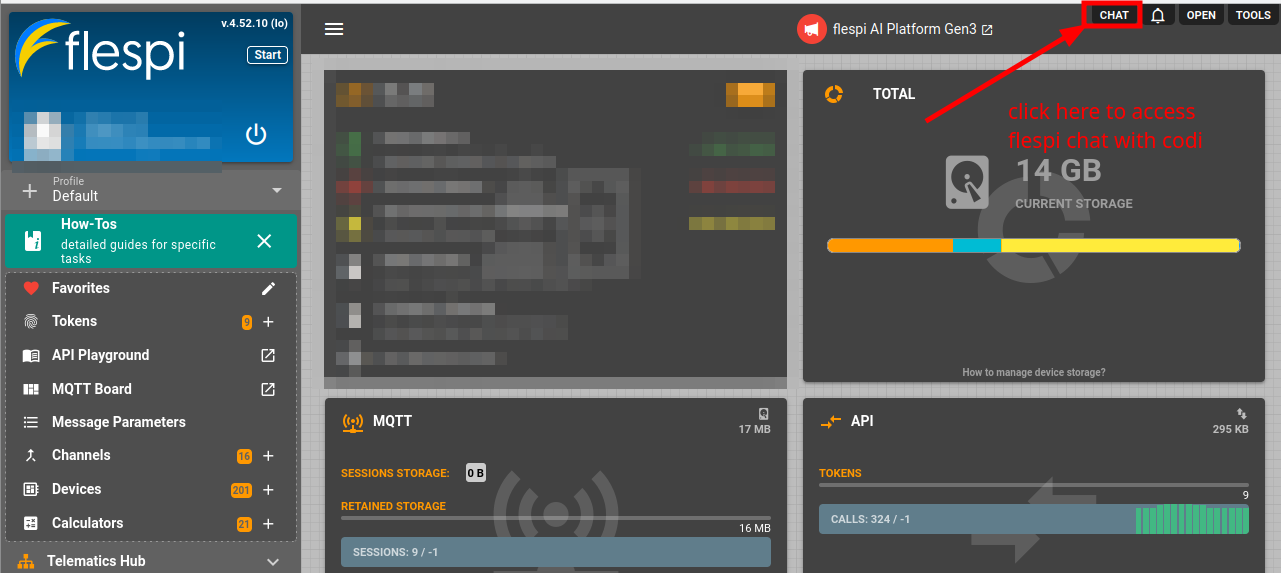
Codi answers and consults: it is the expert you ask. A flespi AI agent is the worker you hire: it lives in your account, acts on your behalf, monitors what you entrust to it and asks for your approval before account-changing operations. Hand over to an agent the work you would delegate to an engineer. Ask Codi for an answer, an explanation or a diagnosis. Both are one click away in the top right corner of the panel: CHAT opens the support chat with Codi and the flespi team, AGENTS opens your agents and creates new ones.
How to talk to Codi?
Open the chat with the CHAT button in the top right corner of the flespi panel. It opens as a tab in the pane on the right, and dragging the tab by its title turns it into a floating window:
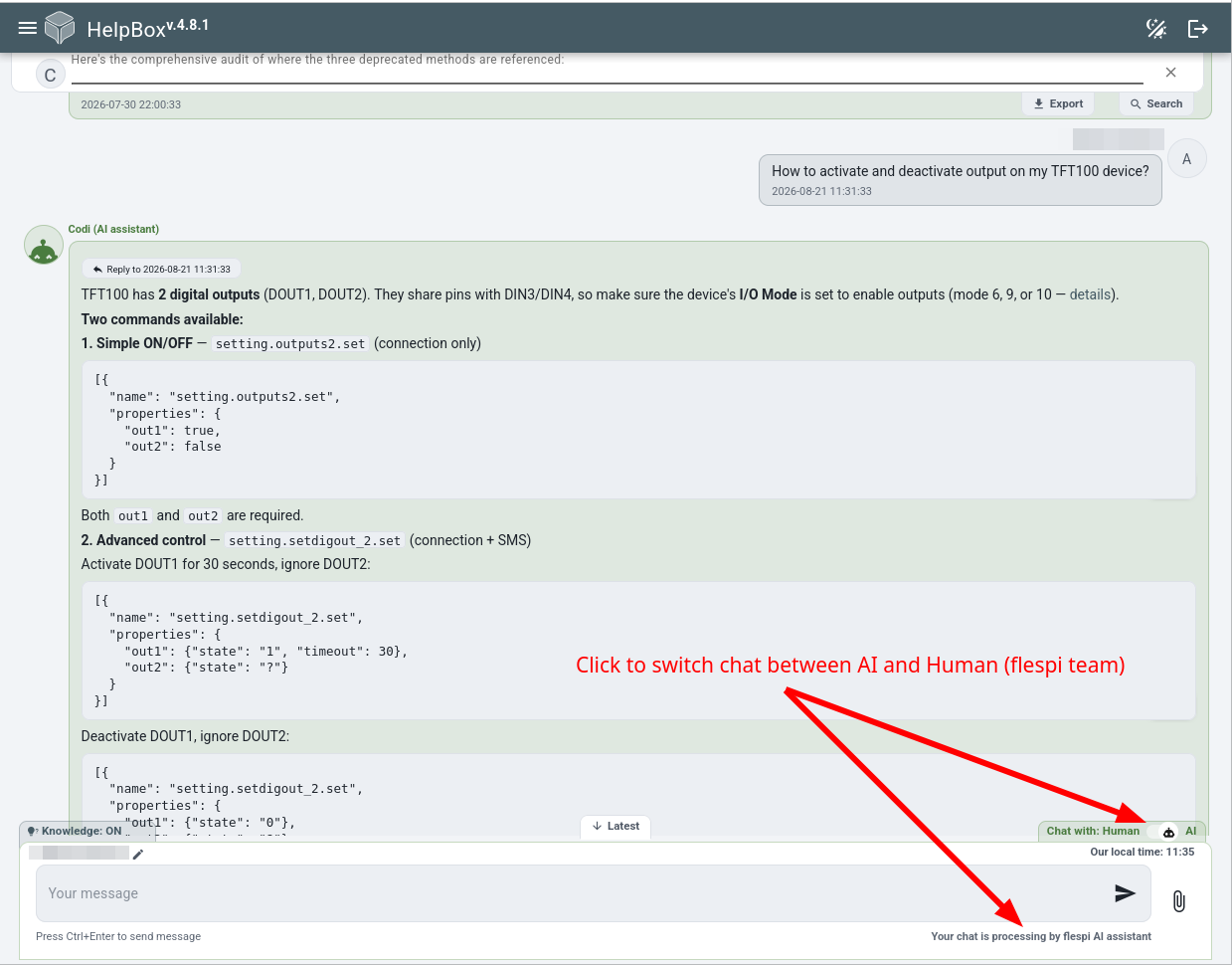
The Chat with switch above the message box flips the chat between Human and AI. On AI, Codi answers your last message automatically. On Human, the flespi team takes over:
Be specific: the ID of the item, the time of the problem and what you expected to happen. See how to ask questions in the flespi chat.
Delegated tasks
Codi answers everything a human support engineer would answer without limits. Work that support would not do on your behalf (repeated checks, monitoring, bulk investigations, reports, complete deliverables, research in documentation, answers to another AI assistant) is a delegated task. Each plan includes a number of delegated tasks per day (last 24 hours) and per month (last 30 days), shared by the top-level account and its subaccounts:
| Plan | Delegated tasks per day | Delegated tasks per month |
| Free | 2 | 5 |
| Start | 3 | 10 |
| Pro | 5 | 20 |
| Enterprise | 10 | 30 |
| Ultimate | 15 | 50 |
For more of this kind of work, use a flespi AI agent: it runs such tasks in your account any time. Moving is one click: Codi's reply carries a button that creates an agent for the request, or opens the agent of yours that fits, with the task ready to send. And when something only flespi can resolve, the agent can even escalate to Codi or the flespi team on your behalf and bring the answer back.
What's next?
- flespi AI agents: autonomous AI workers in your account.
- flespi AI integration: MCP servers and REST API tools that bring flespi knowledge into your own AI tools.
- Troubleshooting Q&A: quick answers to the most common problems and how to ask questions in the chat.
- AI platform architecture: the components and technologies behind Codi.
Subscribe to the flespi AI and MCP change log to stay in sync with any updates.