The Teltonika FOTA WEB connector gives your flespi AI agent access to a Teltonika FOTA WEB: work in the FOTA on your behalf, with your approval before anything sensitive. Use it to keep a fleet of Teltonika devices on the right firmware and configuration at any scale, whether or not the devices send their data to flespi.
All you need is a flespi account and a FOTA WEB API token.
1. Connect the account
One configuration field, token, holds your FOTA WEB API token. Log in to FOTA WEB, open Settings, then API tokens, and generate a token of the "API integration token" type. The account settings page of the Teltonika wiki covers the token types in detail. Give the token a name, leave the expiration date empty for a permanent one, and copy the value the moment it appears. FOTA WEB shows it once and never again:
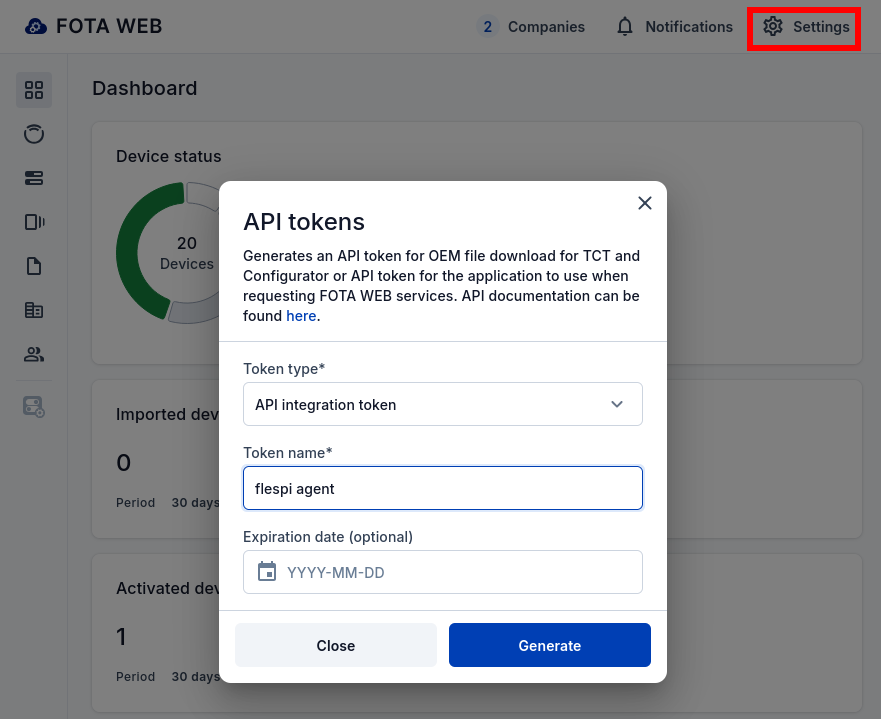
The FOTA WEB API token inherits the role and the company of the FOTA WEB user who created it. The agent sees the devices, files and tasks of that company and its subtree, and can do what the role allows. To limit the agent in FOTA, create a dedicated FOTA WEB user in the company it should manage, with a role limited to what it should do, and mint the token under that user.
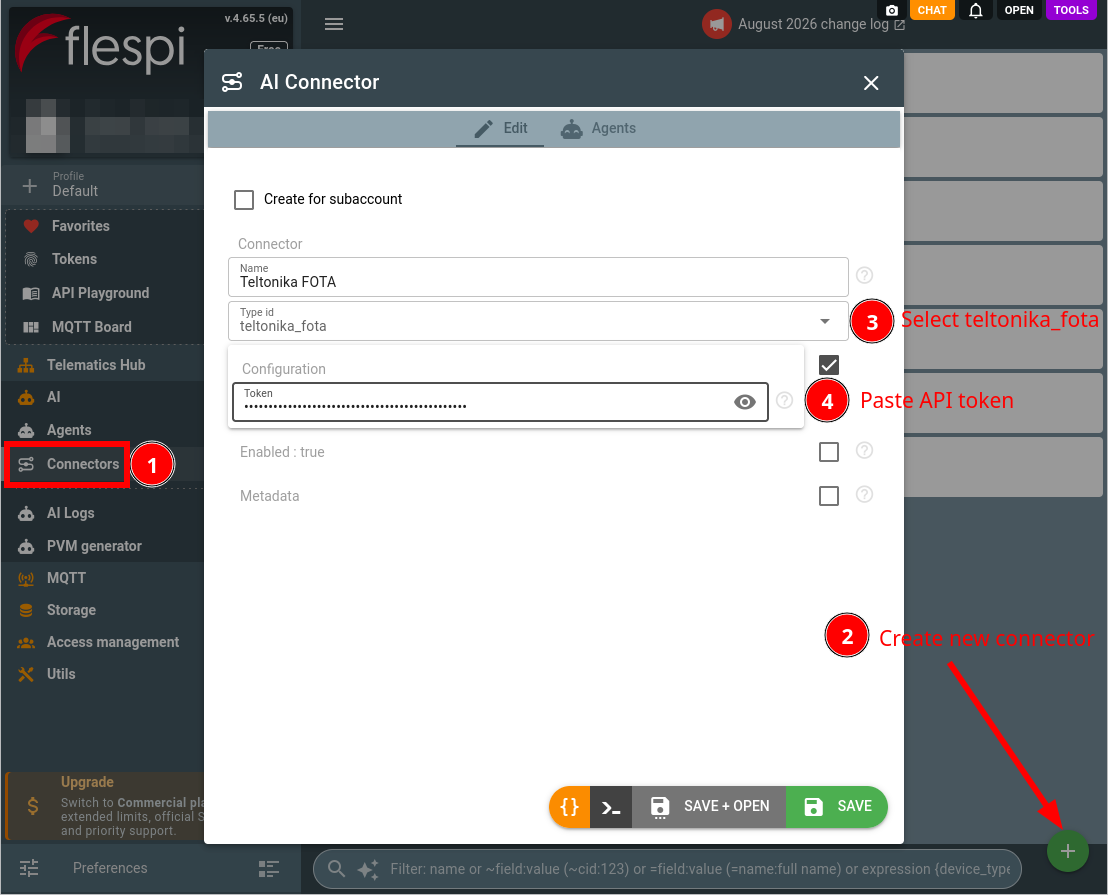
Create a connector of the teltonika_fota type: open the flespi panel, navigate to AI, then Connectors, click the "+" button, pick the type and paste the FOTA WEB API token:
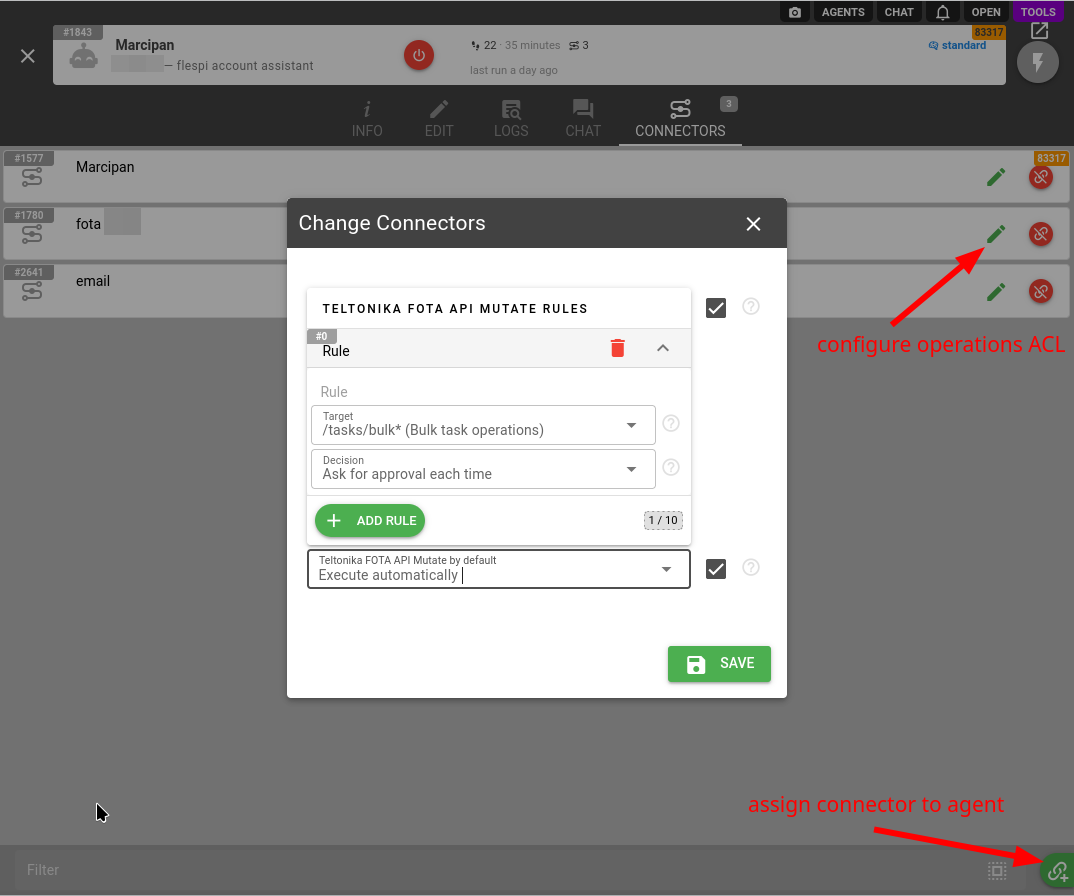
Assign the connector to your agent (create one if you have none yet), choosing the rules for the account-changing FOTA WEB API calls: the default, and above it rules for the parts you want handled differently, such as bulk task operations. The pencil button on the Connectors tab of the agent opens the same rules at any time:
The FOTA WEB API token defines the ceiling. The agent works strictly within its role and company scope, and asks for a token of a FOTA WEB user with wider access when a task is out of reach, instead of attempting calls that will fail. A revoked token surfaces to the agent at its next call, and it will ask you to reconnect the connector with a fresh one.
2. Work with the agent
The agent knows FOTA WEB: it consults the official FOTA WEB documentation and the API reference on its own, so you can discuss firmware versions, configuration files, tasks, device groups and companies the way you would with a Teltonika engineer.
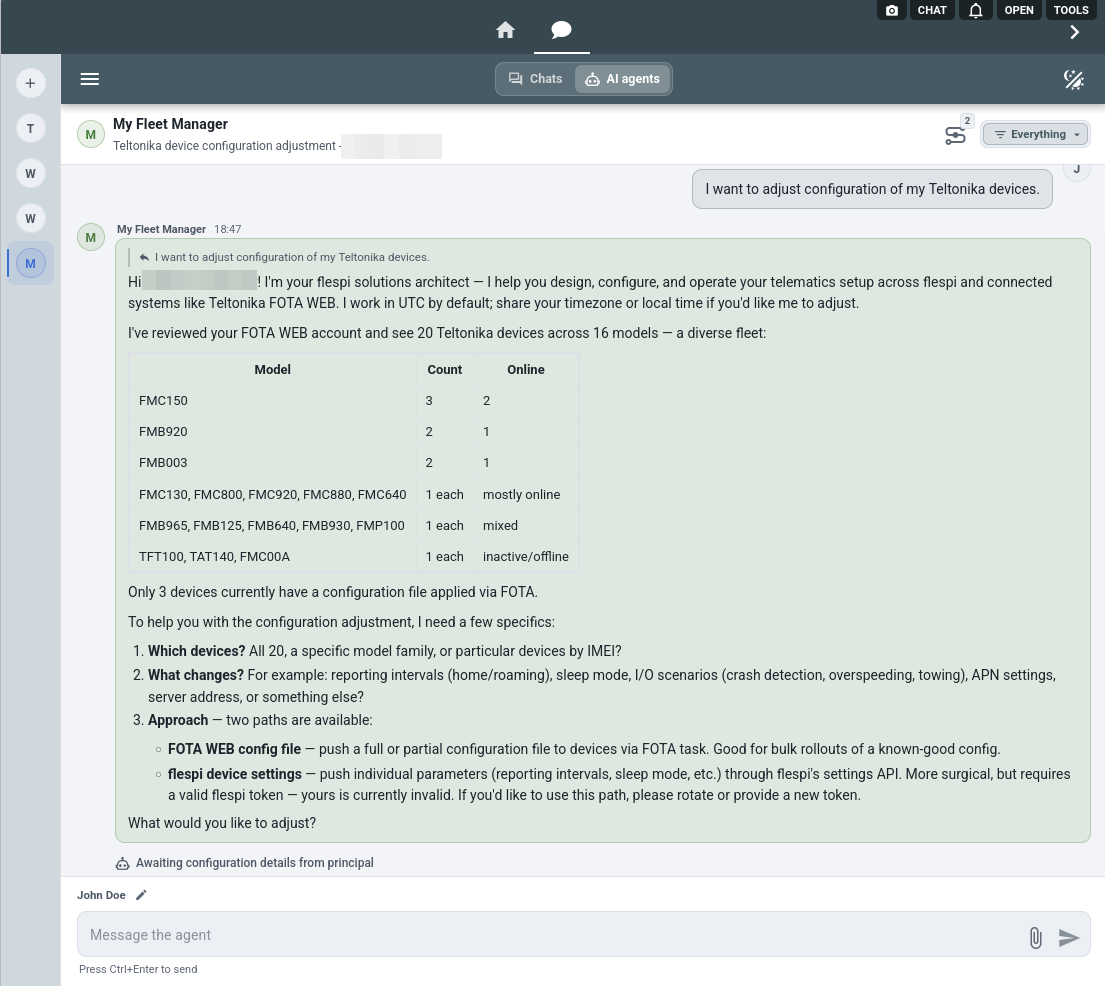
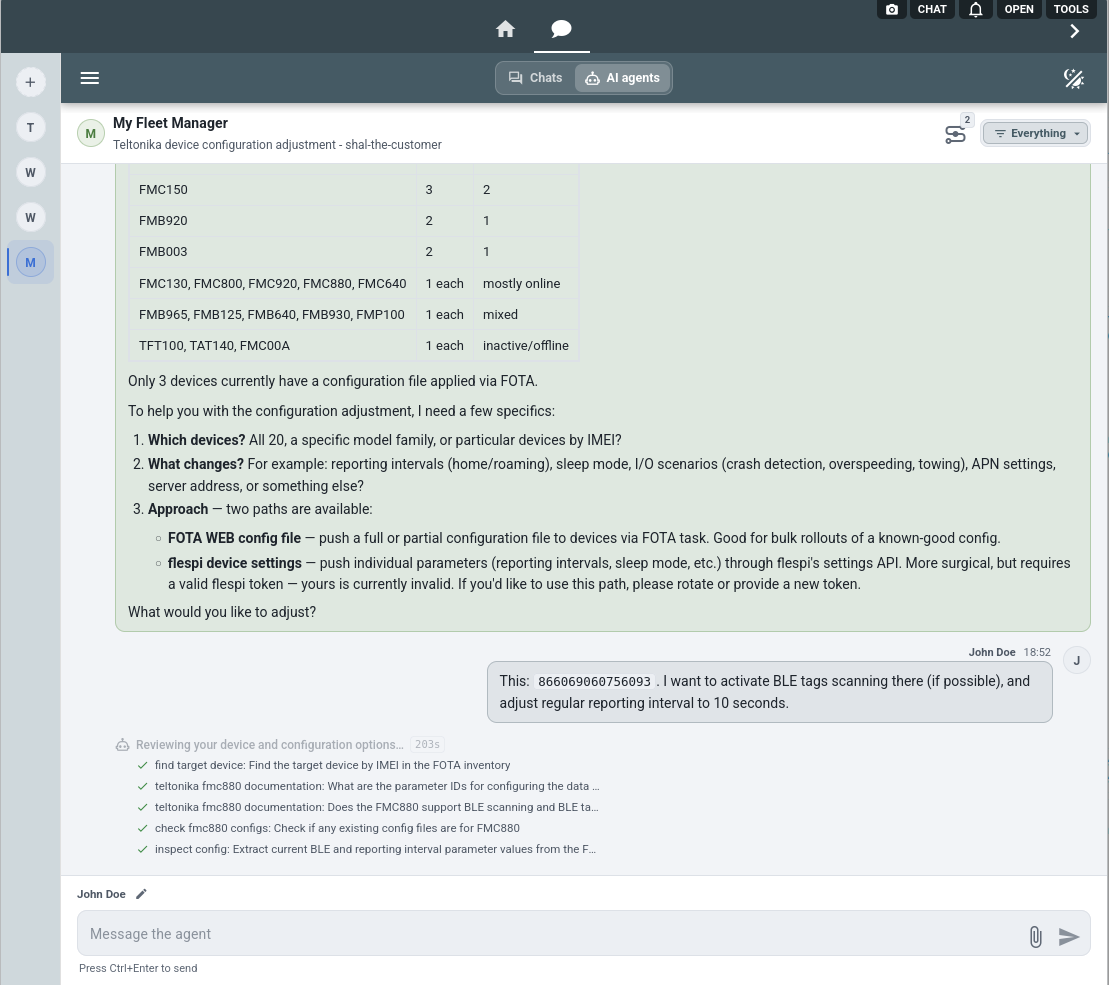
Reading the account is free and autonomous, through a read-only surface that physically cannot change anything. Asked to adjust the configuration of a fleet, the agent starts from what the account holds: the devices with their models, firmware and configuration versions, and online status, and the files of the company:
Name the device and the change, and the agent grounds the design in the device documentation: which parameters exist, what they mean, and what the device carries right now in the configuration backup it pulled from FOTA WEB:
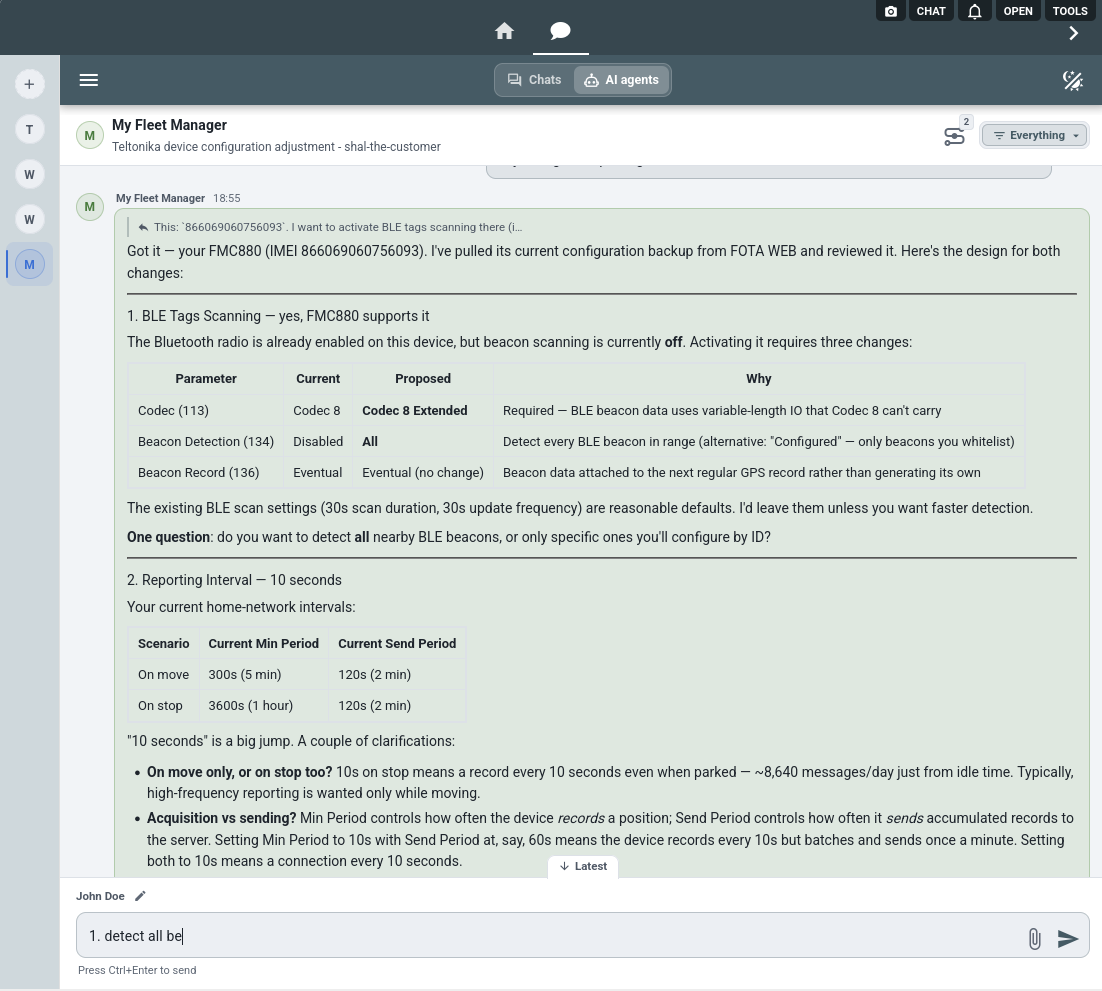
The design comes back the way an engineer would write it: the current and proposed values with the reasons, from the parameters that turn BLE beacon detection on to the difference between the acquisition and the sending period at a 10 second interval:
Configuration changes are a round trip the agent runs for you: it takes the current configuration from the device, applies the changes you agreed on and delivers the result back with a task. Firmware updates are tasks too, and the agent checks that the file fits the device model before queuing one. Each change waits for your approval.
The agent watches the tasks and devices you care about and wakes up when a status, firmware or configuration changes. Ask it to report when the rollout completes and it will. Devices apply the tasks at their own pace, and flespi can speed that up.
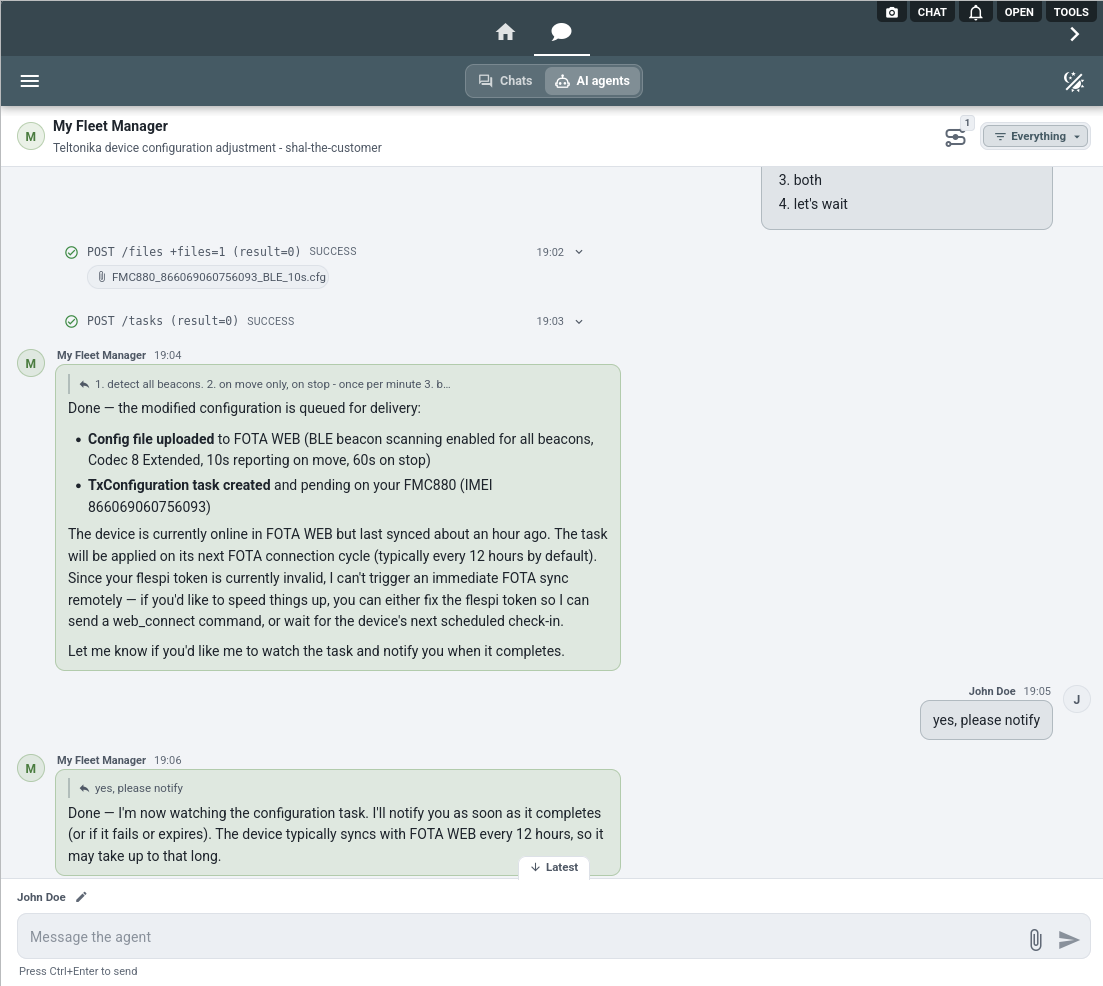
Here the configuration task is queued, the agent explains what happens next, and takes the watch on request:
3. When the devices also report to flespi
Devices pick up FOTA WEB tasks on their own schedule, every 12 hours by default, and FOTA WEB cannot hurry them. flespi can. flespi is a telematics platform that receives the data of the same Teltonika devices and talks to them over their live connection. See how a Teltonika device gets connected to flespi for the details.
When the agent also holds the flespi connector of that flespi account, it reasons across both systems. It tells the device to connect to FOTA WEB right away, using the web_connect setting from Commands & settings over the device connection or via SMS when available. Then it watches the task finish and checks the result on both sides: the firmware version or configuration file FOTA WEB reports, and the setting values the device reports to flespi.
4. Approvals and logs
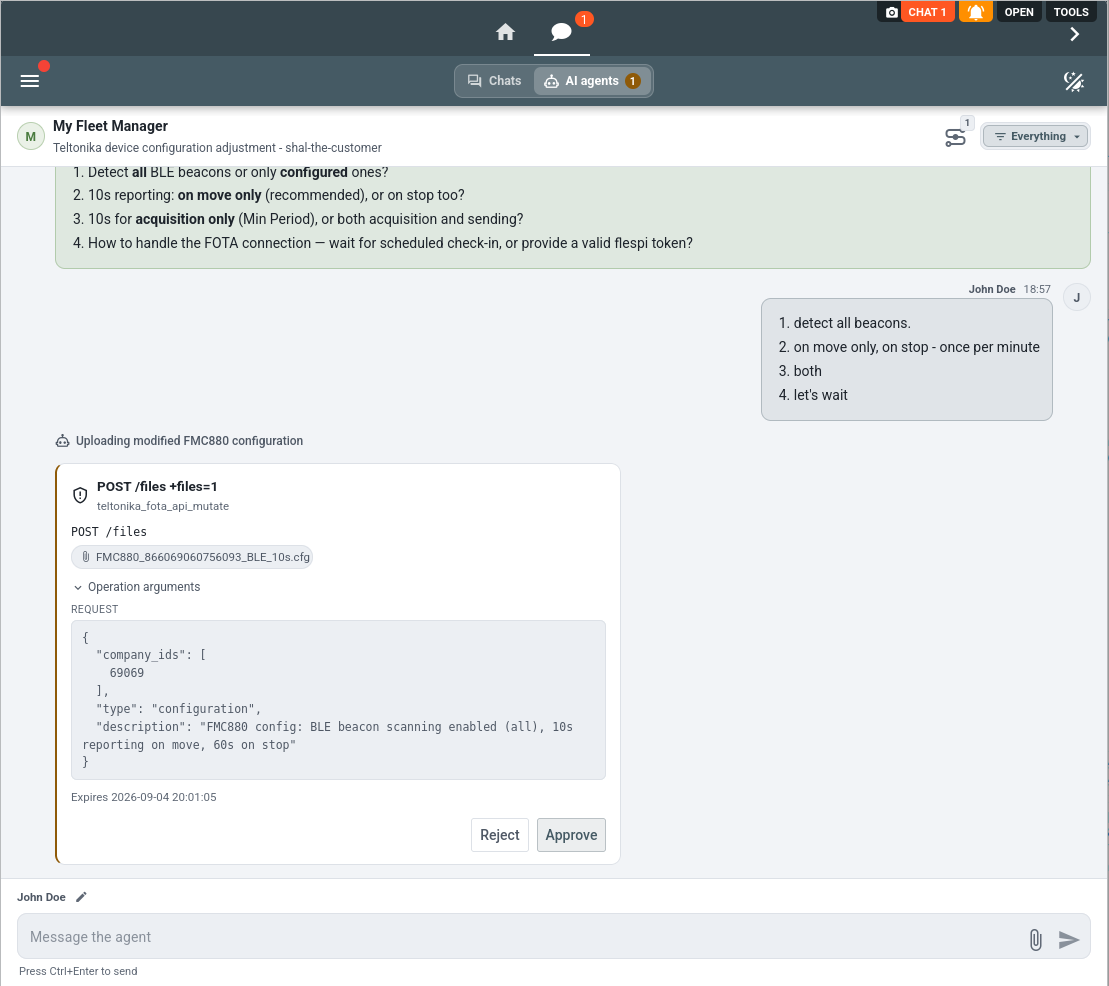
Every account-changing FOTA WEB API call goes through the agent approval rules as the teltonika_fota_api_mutate operation type, and by default each call becomes an approval request. Rules let you delegate the routine and keep the sensitive part under review, for example everything on automatic execution while bulk task operations still ask. You review the exact call, its body and the file it carries before approving:
Once approved, the upload lands in FOTA WEB and the task itself arrives as the next request with its exact body:
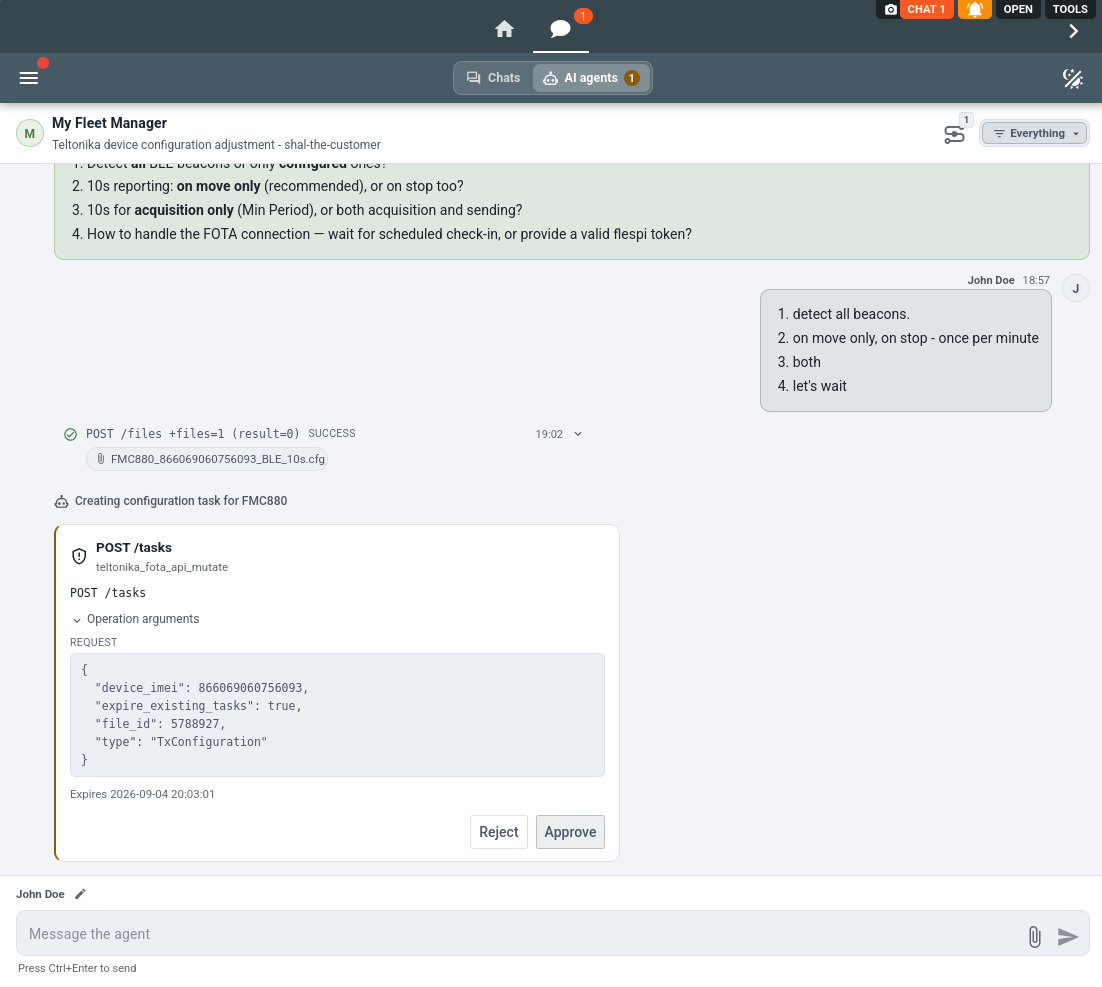
Mind what the default protects before relaxing it: the mutation surface includes firmware updates that can leave a device unable to report, bulk tasks, device transfers between companies, file deletion and user management. The agent coordinates every change with you either way. The rules only decide whether you confirm each call before it leaves.
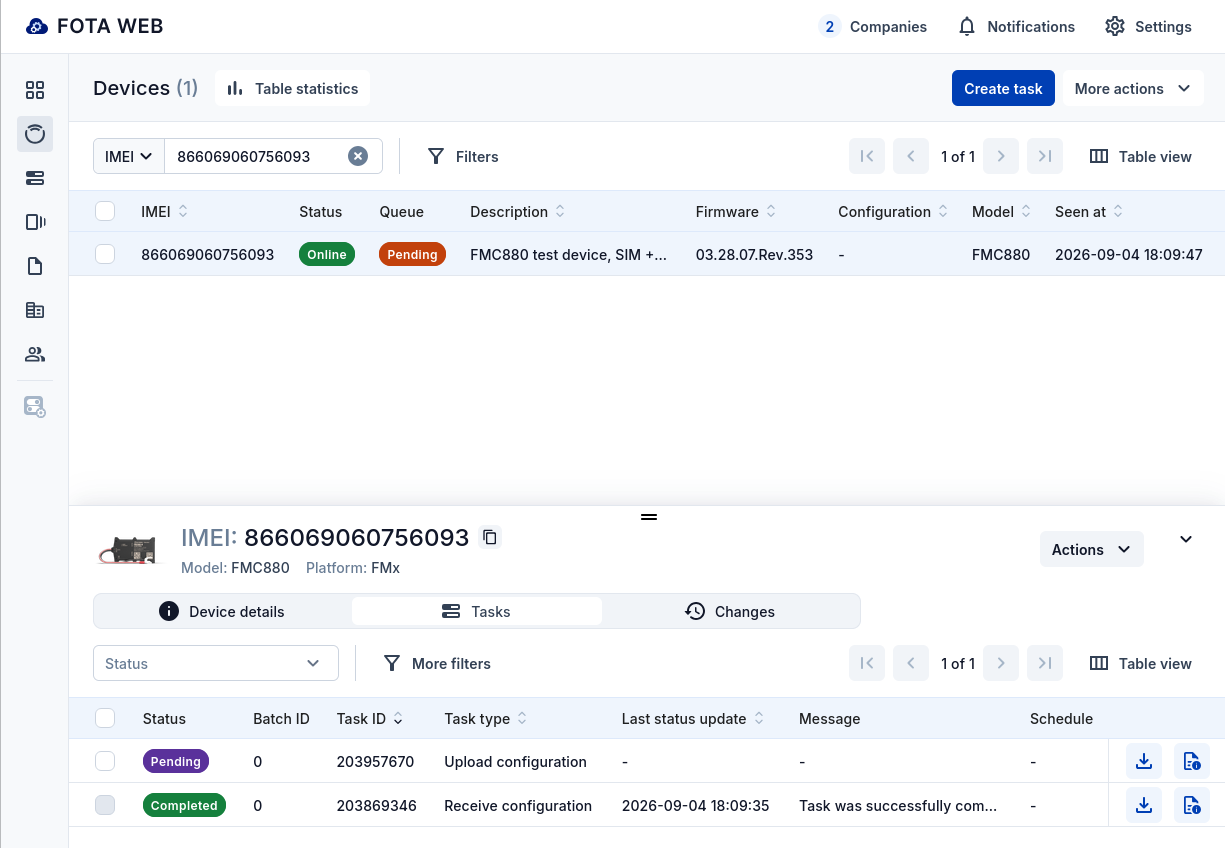
Approved, the task appears in FOTA WEB like any task created by hand and waits for the device to check in:
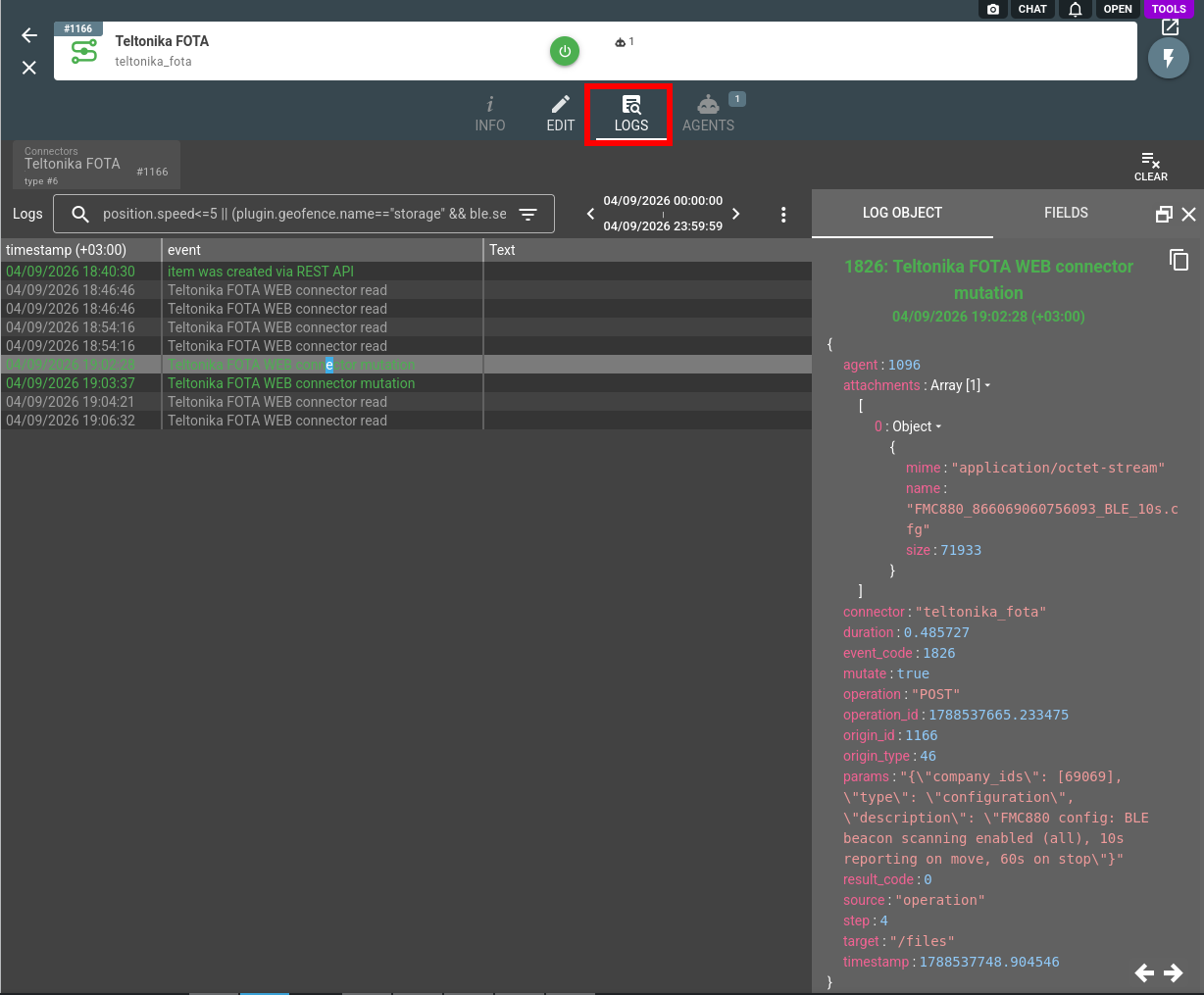
Executed mutations land in the agent conversation history as teltonika_fota_api_mutate_executed records, and every FOTA WEB API call the agent makes on your behalf, reads included, is recorded in the connector logs with the method, path, attachments and result:
To put the agent in front of the people you serve rather than yourself, pair the connector with a persona: the agent takes your name, speaks their vocabulary, and under branded disclosure never mentions flespi.
A system of yours that has no connector type of its own, an ERP, a ticketing system or the intake of an authority, joins through the HTTP API connector: the agent bridges it with your FOTA WEB company, reading one side and writing the other under your approval rules.
The Teltonika FOTA WEB connector is one of several an agent can hold: browse the full connector list to give your agent more capabilities, such as a Telegram or Slack chat with the agent and its approval prompts.
Subscribe to the flespi AI and MCP change log to stay in sync with any updates.